1
Talking Heart Rate Monitor
Model: AH300/AH300A/AH300E
Talking Heart Rate Monitor
with FM Radio
Model: AH310/AH310A/AH310E
USER MANUAL
AH300 / 310_EN OP R-1
1
10/19/05, 2:41 PM
EN
AH300 / 310_EN OP R-1
2
10/19/05, 2:41 PM
Talking Heart Rate Monitor with FM Radio
Model: AH310 / AH310A / AH310E
USER MANUAL
CONTENTS
Introduction ......................................................... 2
Key Features ....................................................... 2
Chest Belt ........................................................ 2
Getting Started .................................................... 2
Wearing the Chest Belt .................................... 2
Basic Operation .................................................. 3
Power On ......................................................... 3
Tutorial ............................................................. 3
Setting Options ................................................ 4
Setting Mode .................................................... 5
User Profile ............................................................... 5
Exercise Profile
(AH310 / AH310A / AH310E Only) ...................... 5
Maximum / Lower / Upper Heart Rate Limit ..... 6
Heart Rate Alert ............................................... 6
Exercise Type ........................................................ 6
Timer / Stopwatch ............................................... 7
Announcement Interval ...................................... 7
Batteries - Chest Belt .......................................... 8
1
AH300 / 310_EN OP R-1
3
10/19/05, 2:41 PM
EN
FM Radio (AH310 / AH310A / AH310E Only) ..... 8
Front View ........................................................ 8
Back View ........................................................ 8
Connecting the FM Radio ................................ 8
Listening to the FM Radio ................................ 9
Batteries - FM Radio ........................................ 9
Training Information ......................................... 10
How the Heart Rate Monitor Helps You ........ 10
Training Tips ................................................... 10
Precautions ....................................................... 10
Specifications .................................................... 11
About Oregon Scientific ................................... 12
EU-Declaration of Conformity .......................... 12
FCC Statement .................................................. 12
Declaration of Conformity .............................. 13
Talking Heart Rate Monitor
Model: AH300 / AH300A / AH300E
EN
keep it in a safe place in case you need to later refer to it.
INTRODUCTION
Scientific TM
Thank you for selecting the Oregon
talking
heart rate monitor (AH300 / AH300A / AH300E / AH310
/ AH310A / AH310E) as your sports fitness product of
choice. This precision device includes the following
features:
• Heart rate monitor chest belt.
• Heart rate monitoring system when you go above
or below your upper and lower heart rate limit.
• Sound alert for heart rate thresholds during training.
• Memory stores heart rate figures during exercise.
• SMART TRAINING PROGRAM enables you
to complete exercise cycles effectively.
• Warm-up and recovery timers.
• Stopwatch (AH310 / AH310A / AH310E only).
• Calorie consumption voice prompts during and
after exercise.
• Exercise type (AH300 / AH300A / AH300E only)
or exercise profile (AH310 / AH310A / AH310E only)
– calculates your heart rate target zone.
• User profile – to calculate your calories burned.
• FM radio (AH310 / AH310A / AH310E only).
KEY FEATURES
CHEST BELT
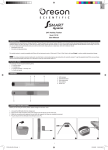
1. Adjustable Chest Belt
3. ST / SP / SKIP / -
2. FUNC / +
4. Headphone Socket
GETTING STARTED
WEARING THE CHEST BELT
1. Wet the conductive pads
on the underside of the
chest belt with a few drops
of water or a conductive gel
to ensure solid contact.
IMPORTANT The AH300, AH300A, AH300E, AH310,
AH310A and AH310E talking heart rate monitors are for
sports purposes only and are not meant to replace any
medical advice.
2. Strap the heart rate chest
belt across your chest.
To ensure an accurate
heart rate signal, adjust the
strap until the belt sits
snugly below your
pectoral muscles.
This manual contains important safety and care
information, and provides step-by-step instructions for
using this product. Read the manual thoroughly, and
2
AH300 / 310_EN OP R-1
4
10/19/05, 2:41 PM
BASIC OPERATION
POWER ON
To turn the unit on:
1. Connect headphones.
2. Press and hold FUNC.
NOTE If no heart rate is detected for 5 minutes the
unit will automatically return to Sleep Mode.
TUTORIAL
NOTE If the belt is kept idle without receiving a heart
rate signal for 5 minutes, the unit will automatically
return to Sleep Mode.
The first time the unit is switched on a welcome
greeting will begin in the default language (English).
Press any key when you hear your desired language.
Then, listen to the voice prompts to change the other
settings (see table below). You MUST enter your
settings to use this product effectively.
HEADPHONE
You can wear the headphone
as you would for a portable
audio player or similar device.
Connect the headphone directly
to the chest belt as shown.
NOTE When you replace the battery the unit will begin
the tutorial again. At the end of tutorial the unit defaults
to HR Measurement Mode.
NOTE For more information on how to connect the
radio (AH310, AH310A, AH310E models only) see FM
Radio section.
3
AH300 / 310_EN OP R-1
5
10/19/05, 2:41 PM
EN
TIPS
• The position of the chest belt affects its performance.
Move the chest belt along the strap so that it falls
above your heart.
• Avoid areas with dense chest hair.
• In dry, cold climates, it may take several minutes
for the chest belt to function steadily. This is
normal and should improve with several minutes
of exercise.
SUB MENU
LANGUAGE
• English
• Italian
• German
• English
• French
• Spanish
• English only model you will not hear this option
• High
• Low
• Medium
• Gender
• Age: 5 to 99
• Weight Unit:
metric / imperial
• Weight
• Height Unit:
metric / imperial
• Height
• Exercise habit:
seldom / usually / athlete
• Walk
• Run
• Jog
VOLUME
USER
PROFILE
EXERCISE
TYPE
•
MAIN MENU
•
•
EXERCISE
TYPE
Training Mode – 2 options are
• • •
available:
Auto
Manual
EXERCISE
• Walk • Timer type:
PROFILE
• Run
stopwatch
• Jog
or countdown
• Warm-up timer:
set to 3, 5, 10 mins
• Exercise timer: hour
• Exercise timer: mins
• Lower limit
heat rate
• Upper limit
heat rate
ANNOUNCE- • 30s
• • • • • •
MENT
• 1 min
INTERVAL
• 2 mins
• 3 mins
•
•
SUB MENU
AH300
AH300A
AH300E
AH310
AH310A
AH310E
MAIN MENU
AH300
AH300A
AH300E
AH310
AH310A
AH310E
EN
SETTING OPTIONS
•
• • • • • •
• • • • • •
The dots show which model has which menu options.
• • •
NOTE The above table shows the main menu order
when you are in the tutorial mode.
The main menu order will differ in the normal setting
mode.
4
AH300 / 310_EN OP R-1
6
10/19/05, 2:41 PM
EN
SETTING MODE
USER PROFILE
To alter any of the settings once the tutorial has
completed, follow the instructions below:
Enter setting mode
Press and hold FUNC in HR
Measurement Mode. The chest belt
will say “Setting Mode” then “Volume”
Skip a setting
Press any key before 2 seconds has
passed from when the unit announced
the setting option
Change a setting
1. Wait until the unit reads out the
current setting and prompts you
to press any key to change
this setting. Press any key and
the new setting will be read out
(e.g. “medium”)
2. Press any key again
to scroll through settings
(i.e. “low”, “medium”, “high”)
To access the full benefits of the talking heart rate
monitor, set up your user profile before you exercise.
This will help you keep track of the calories burned
over time.
To set the user profile:
Follow the instructions in the Setting Mode section to
select “User Profile” and change the sub-menu
settings.
NOTE You can adjust your user profile at any time.
NOTE You must set up your user profile to use the
calorie count feature.
EXERCISE PROFILE
(AH310 / AH310A / AH310E ONLY)
Different activities exercise the body in different ways
and help you to achieve a variety of fitness goals. To
accommodate different requirements the exercise
profile can be set to suit different exercise activities.
For example, if you are running, your exercise profile
settings are likely to differ from those you would use
when undertaking a weight training activity.
TIP To quickly increase or decrease
a setting value, press and
hold + or - on the chest belt.
Confirm the new setting
Leave the unit idle for 2 seconds
to return to HR Measurement Mode.
NOTE AH300 / AH300A / AH300E only – when the
exercise timer is paused or running, the unit will
not allow the user to set the “Exercise Type” and you
will not hear this setting option.
Also, the time you require to warm-up and complete an
exercise will vary. That is why you can change the
warm-up and exercise countdown time to suit you.
5
AH300 / 310_EN OP R-1
7
10/19/05, 2:41 PM
EN
To manually calculate your own heart rate limits, follow the
instructions below:
To change the exercise profile settings:
Follow the instructions in the Setting Mode section to
select “Exercise Profile” and change the sub-menu
settings.
MHR
MHR
= 220 - age
Auto Mode
In Auto Mode you can select an exercise type (walk, jog
or run). The unit will then take your age from your User
Profile and automatically calculate your heart rate zone i.
e. upper / lower and maximum heart rate. Each time you
change the exercise type, your heart rate zone will
automatically be updated.
LOWER LIMIT
MHR x lower
exercise type %.
E.g. Exercise type
is walk.
Lower limit
= MHR x 65%
UPPER LIMIT
MHR x upper
exercise type %.
E.g. Exercise type
is walk.
Upper limit
= MHR x 78%
HEART RATE ALERT
Heart rate alerts will sound when you fall below your
lower-limit heart rate or exceed your upper-limit heart
rate. The headphone will continue to issue heart rate
alerts until you return within your specified heart-rate
range.
Manual Mode
In Manual Mode you can set your own heart rate zone.
NOTE When the exercise timer or stopwatch is
paused or running, the unit will not allow the user to set
the “Exercise Profile” and you will not hear this setting
option.
NOTE If the chest belt is kept idle without receiving a
heart rate signal for 5 minutes, the unit will automatically
return to Sleep Mode.
EXERCISE TYPE
MAXIMUM / LOWER / UPPER HEART RATE LIMIT
Before you begin any exercise program, and to achieve
maximum health benefits from your workout, it is
important to know your:
• Maximum heart rate (MHR)
• Lower heart rate limit
• Upper heart rate limit
EXERCISE TYPE
MHR%
Walk
Health
65-78%
Maintenance
DESCRIPTION
This is the lowest training
intensity level. It is good
for beginners and those
who want to strengthen
their cardiovascular
systems.
Jog
Increases strength and
endurance. It works
within the body’s oxygen
Aerobic
Exercise
65-85%
6
AH300 / 310_EN OP R-1
8
10/19/05, 2:41 PM
Run
Anaerobic
Exercise
78-90%
Generates speed and
power. It works at or
above the body’s
oxygen intake capability,
builds muscle, and
cannot be maintained
for a long period of time.
NOTE To skip to the end of any session, simply press
and hold ST / SP.
When you select an exercise type (walk, jog or run),
the unit will then take your age from your User Profile
and automatically calculate your heart rate zone i.e.
upper / lower and maximum heart rate. Each time you
change the exercise type, your heart rate zone will
automatically be updated.
Stopwatch Mode (AH310 / AH310A / AH310E only):
The stopwatch function is particularly beneficial to use
when you are unsure how long your activity will take, or
when you want to measure the time it takes to
complete a task and your performance over that time.
TIMER / STOPWATCH
TASK
Start stopwatch
Pause / resume stopwatch
Skip to recovery timer
To get the most out of your timer / stopwatch function,
complete your user and exercise profile. If you have
not completed the user profile you will be unable to
fully benefit from the calorie burn function, as the
calculated values may be inaccurate.
INSTRUCTION
Press ST / SP
Press ST / SP
Press and hold ST / SP
NOTE To hear a read out of your current heart rate,
press FUNC at any time in Timer / Stopwatch Mode.
In HR Measurement Mode, press ST / SP to hear the
previous exercise memory readout. You will then be
prompted as to whether you wish to start training now.
Press ST / SP to confirm.
ANNOUNCEMENT INTERVAL
The chest belt broadcasts information at a pre-defined
interval (30 secs, 1 min, 2 mins or 3 mins), or manually
by pressing FUNC.
7
AH300 / 310_EN OP R-1
9
10/19/05, 2:41 PM
EN
Timer Mode:
The chest belt will talk you through your warm-up,
exercise and recovery sessions. Warnings will be
issued at benchmark periods (e.g. 5 minutes to go, 30
seconds to go etc.) increasing in frequency the closer
you get to completion of each part. Your current
calories burned level and a suggestion of whether you
should speed up or slow down will also be read out at
periodic intervals to keep you up to date.
intake capability, burns
more calories, and can
be maintained for a long
period of time.
EN
swallowed seek immediate medical advice.
• The batteries supplied must not be recharged,
reactivated by any other means, dismantled,
exposed to fire or short-circuited.
BATTERIES – CHEST BELT
The chest belt uses 1 x CR2032 lithium battery. The
unit will issue a voice prompt when there is a low
battery warning for the chest belt. To replace the chest
belt battery:
FM RADIO (AH310 / AH310A / AH310E ONLY)
FRONT VIEW
1. SCAN
2. PRESET
3. Cable – links radio
and chest belt
4. ON / OFF
5. Headphone socket
BACK VIEW
1. Belt clip
1. Turn the belt over so that you are looking at the
back plate.
2. Use a coin or something similar to remove the
back plate.
3. Remove the old battery and insert the new one.
4. Replace the battery plate.
2. Battery compartment
3. VOL +
4. VOL -
CONNECTING THE FM RADIO
1. Plug the FM radio into the chest belt.
2. Plug the headphone into the FM radio.
IMPORTANT
• Non-rechargeable and rechargeable batteries
must be disposed of properly. For this purpose,
special containers are provided for \
non-rechargeable and rechargeable battery
disposal at communal collection centres.
• Batteries are extremely dangerous when
swallowed! Therefore, keep batteries and the
article away from infants. If a battery has been
8
AH300 / 310_EN OP R-1
10
10/19/05, 2:41 PM
NOTE In an environment with electrostatic discharge,
the FM radio may malfunction and require user to reset
the unit
NOTE Prolonged use of the FM radio will significantly
reduce battery life.
BATTERIES – FM RADIO
Two short beeps will sound when the FM radio
batteries are running low.
To replace the batteries:
1. Remove the back cover.
2. The protective battery casing will open automatically.
3. Remove old batteries and insert new ones.
4. Replace protective cover securely and re-attach
back cover.
NOTE If you do not wish to use the FM radio, you can
disconnect it and directly plug the earphones into the
chest belt.
LISTENING TO THE FM RADIO
The FM radio provides entertainment during your
exercise program while still allowing you to hear the
talking heart rate monitor. The radio will switch on
automatically when the headphone is plugged in. Press
FM On / Off to switch the radio on or off.
WARNING Make sure the polarities (+ and -) match
the diagram below. Incorrectly inserted batteries may
damage the radio.
5-Channel Storage:
The FM radio can store 5 channels. To select and store
a channel:
1. Press SCAN to start / stop a scan upwards
through the FM frequency.
2. Press and hold PRESET to store a frequency.
A beep will sound to confirm it has been saved.
To scroll through your stored channels, press PRESET.
AH300 / 310_EN OP R-1
11
9
10/19/05, 2:41 PM
EN
3. Clip the FM radio to your clothing, a belt or onto the chest belt.
For ease-of-use clip the wires together.
EN
• Start with a well-defined training goal, such as
to lose weight, keep fit, improve health or compete
in a sporting event.
• Select an exercise type you enjoy, and vary
your exercise type to exercise different muscle groups.
• Start slowly, and then gradually step up your
work out as you become fitter. Exercise regularly.
To maintain a healthy cardio-vascular system,
20-30 minutes three times a week is recommended.
• Always allow at least five minutes before
and after exercising for warm-up and cool-down.
• Measure your pulse after training. Then repeat
the procedure again after three minutes. If it
does not return to its normal resting rate,
you may have trained too hard.
• Always check with your doctor before starting
a vigorous training program.
TRAINING INFORMATION
HOW THE HEART RATE MONITOR HELPS YOU
A heart rate monitor is the most important tool in
cardiovascular health and is an ideal training partner. It
enables you to see and monitor results. This helps you
assess your past performance, maximise your work out
and adapt your future exercise program to achieve your
desired goals in a safer and more effective way.
When you exercise, the chest belt picks up your
heartbeat. Now you can be informed of your heart rate
and start monitoring your performance based on your
heart rate readings. As you get fitter, your heart will need
to do less work and the speed of your heart rate will
decrease. The reason for this is as follows:
• Your heart pumps blood to your lungs to
obtain oxygen. Then, the oxygen-rich blood
will travel to your muscles. The oxygen is used
as fuel and the blood leaves the muscles and
returns to the lungs to begin the process again.
As you get fit, your heart is able to pump more
blood with every beat. As a result, your heart
doesn’t have to beat as often to get the
necessary oxygen to your muscles.
PRECAUTIONS
To ensure you use your product correctly and safely,
please observe the following guidelines:
• Clean the chest belt thoroughly after each
training session. Never store the product when wet.
TRAINING TIPS
To gain the maximum benefit from your training
program, and to ensure that you exercise safely, please
observe the following guidelines:
10
AH300 / 310_EN OP R-1
12
10/19/05, 2:41 PM
EN
• Use a soft, dry cloth as excess moisture can
damage the unit. Do not use abrasive or
corrosive cleaning agents, as these may
cause damage.
• Avoid pressing the keys with wet fingers, or in
heavy rain, as this may allow water to gain entry
into the electrical circuitry.
• Do not subject the product to excessive force,
shock, dust, temperature changes, or humidity.
Never expose the product to direct sunlight
for extended periods. Such treatment may result
in malfunction.
• Do not tamper with the internal components.
Doing so will terminate the product warranty and
may cause damage. The unit contains no
user-serviceable parts. Contact the retailer or
our customer service department if the
product requires servicing.
• Remove the batteries whenever you are planning
to store the product for a long period of time.
• When replacing batteries, use new batteries
as specified in this user manual.
• When disposing of this product, do so in accordance
with your local waste disposal regulations.
SPECIFICATIONS
TYPE
DESCRIPTION
SMART TRAINING
PROGRAM
Warm-up timer
Exercise timer
Recovery timer
3, 5 or 10 mins
3:55:00 (HH:MM:SS)
3, 5 or 10 mins
STOPWATCH
Stopwatch
Resolution
3:55:59 (HH:MM:SS)
1 sec
PERFORMANCE TRACKING
Heart rate (HR) alarm
HR measuring range
Lower HR settable range
Upper HR settable range
Calories calculation
Sound alert
30-240 bpm (beats per minute)
30-220 bpm (beats per minute)
80-240 bpm (beats per minute)
0-9,999 kcal
WATER RESISTANT
Chest belt
Splash proof
POWER
FM radio
Chest belt
2 x CR2032 3V lithium battery
1 x CR2032 3V lithium battery
OPERATING ENVIRONMENT
Operation temperature
Storage temperature
10 ºC-40 ºC (50 ºF-104 ºF)
-20 ºC-60 ºC (-4 ºF-140 ºF)
LANGUAGES
AH300 / AH310
AH300A / AH310A
AH300E / AH310E
English, Italian and German
English, French and Spanish
English
11
AH300 / 310_EN OP R-1
13
10/19/05, 2:41 PM
EN
FCC STATEMENT
ABOUT OREGON SCIENTIFIC
This device complies with Part 15 of the FCC Rules.
Operation is subject to the following two conditions: (1)
This device may not cause harmful interference, and
(2) This device must accept any interference received,
including interference that may cause undesired
operation.
Visit our website (www.oregonscientific.com) to learn
more about Oregon Scientific products such as digital
cameras; MP3 players; children’s electronic learning
products and games; projection clocks; health and
fitness gear; weather stations; and digital and
conference phones. The website also includes contact
information for our Customer Care department in case
you need to reach us, as well as frequently asked
questions and customer downloads. We hope you will
find all the information you need on our website,
however if you’re in the US and would like to contact the
Oregon Scientific Customer Care department directly,
please visit:
www2.oregonscientific.com/service/support
OR
Call 1-800-853-8883.
WARNING Changes or modifications not expressly
approved by the party responsible for compliance
could void the user’s authority to operate the
equipment.
NOTE This equipment has been tested and found to
comply with the limits for a Class B digital device,
pursuant to Part 15 of the FCC Rules. These limits are
designed to provide reasonable protection against
harmful interference in a residential installation.
This equipment generates, uses and can radiate radio
frequency energy and, if not installed and used in
accordance with the instructions, may cause harmful
interference to radio communications. However, there
is no guarantee that interference will not occur in a
particular installation. If this equipment does cause
harmful interference to radio or television reception,
which can be determined by turning the equipment off
and on, the user is encouraged to try to correct the
interference by one or more of the following measures:
• Reorient or relocate the receiving antenna.
• Increase the separation between the equipment
and receiver.
For international inquiries, please visit:
www2.oregonscientific.com/about/international
EU-DECLARATION OF CONFORMITY
Hereby, Oregon Scientific, declares that this Talking
Heart Rate Monitor (AH300 / AH300A / AH300E /
AH310 / AH310A / AH310E) is in compliance with the
essential requirements and other relevant provisions of
EMC directive 89 / 336 / CE and LVD directive 73 / 23 /
EC. A copy of the signed and dated Declaration of
Conformity is available on request via our Oregon
Scientific Customer Service.
12
AH300 / 310_EN OP R-1
14
10/19/05, 2:41 PM
EN
• Connect the equipment into an outlet on a circuit
different from that to which the receiver is connected.
• Consult the dealer or an experienced radio /
TV technician for help.
DECLARATION OF CONFORMITY
The following information is not to be used as contact
for support or sales. Please call our customer service
number (listed on our website at www.oregonscientific
.com), or on the warranty card for this product for all
inquiries instead.
We
Name:
Address:
Telephone No.:
Oregon Scientific, Inc.
19861 SW 95th Ave., Tualatin,
Oregon 97062 USA
1-800-853-8883
declare that the product
Product No.:
AH300 / AH300A / AH300E /
AH310 / AH310A / AH310E
Product Name: Talking Heart Rate Monitor
Manufacturer:
IDT Technology Limited
Address:
Block C, 9/F, Kaiser Estate,
Phase 1,41 Man Yue St.,
Hung Hom, Kowloon, Hong Kong
is in conformity with Part 15 of the FCC Rules.
Operation is subject to the following two conditions:
1) This device may not cause harmful interference.
2) This device must accept any interference received,
including interference that may cause undesired operation.
13
AH300 / 310_EN OP R-1
15
10/19/05, 2:41 PM
EN
© 2005 Oregon Scientific. All rights reserved.
086L004195-012
AH300 / 310_EN OP R-1
16
10/19/05, 2:41 PM
EN
AH300 / 310_EN OP R-1
17
10/19/05, 2:41 PM
EN
AH300 / 310_EN OP R-1
18
10/19/05, 2:41 PM
EN
AH300 / 310_EN OP R-1
20
10/19/05, 2:41 PM