1
Gas Chromatograph Interface Program User Manual (ROC800)
Chapter 3 – Configuration
After you have loaded the GC Interface program on the ROC800, you
configure the program using three program-specific screens (GC Interface,
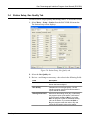
GC Configuration, and GC Stream Data) and one ROCLINK 800 screen
(Station Setup).
You must configure the software before you can establish communications
with the GC. To configure the program (after logging onto ROCLINK 800
and successfully installing the program and license key), proceed through
the program screens as shown in this section.
Note: Using MON 2000 software, you set the GC communications port
to the SIM 2251 protocol. For all other parameter configurations,
refer to the MON 2000 documentation.
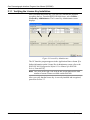
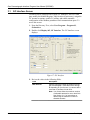
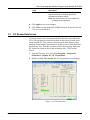
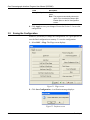
You can access all the program-specific screens from the main ROCLINK
800 screen:
Figure 16. ROCLINK 800
Rev. Sep-13
3-1