1
DMX 512 CONTROLLER SERIES
Cautions
Danger: there is high voltage inside the equipment, avoid getting an electric shock.
Caution: please don t open the equipment. There is no part that can be repaired by the user.
Using the equipment, the power supply must be connected to the earth line to ensure the safety.
When console and scanner are working, don t plug or pull out DMX512 data cable with the power on.
This will destroy the port electric components of the console.
Don t splash any liquid to the scanner console. This will shatter the inside components of the console
and make functions failure.
Scanner console is precision electric equipment. Please pay attention to moistureproof protection and
dustproof protection. And please clean the control panel in schedule with non-chemical cleanser.
Contents
Contents in the package:
512 console 1
User s Manual 1
Power supply line 1
Connect to scanner
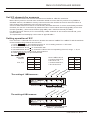
512 console has 2 optical isolated DMX512 signal independent drive device. So there are 2
DMX512 XLR-D3F. The connection of the output socket and the data cable as following:
Foot No.
1
2
3
Data cable
Screen net
Signal Signal +
In the end of DMX512 data cable, a 120 matching resister must be connected to the +, - end of the
cable to improve the signal transmission quality.
USER MANUAL
2/17