1
EasyCheck 900 User Guide
4 Verification
Verification is necessary before you begin using the EasyCheck 900.
This chapter provides an overview of your tester.
4.1 Unpacking the EasyCheck 900
Before unpacking, please check whether there is any damage in the
carton. Check all parts are present as per Section 4.2 and perform a
self-check as per Section 4.4.
Please report any problems to your local distributor.
4.2 Package Checklist
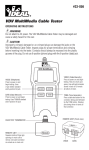
The EasyCheck 900 LAN and Cable Tester kit includes:
Part
Quantity
EasyCheck 900 tester
1
Remote
1
RJ12 to RJ45 cable
2
RJ45 to RJ45 cable
2
RJ45 to Alligator clip cable
2
User Guide CD
1
9V Battery
1
4.3 Power Supply
The EasyCheck 900 uses a 9V battery. When the battery low icon in the
top right is flashing, the battery should be replaced as soon as
practical.
To replace the battery press marking “OPEN” lock and push down the
battery cap, then pull out battery snap and connect a new battery. Take
care to not pull the battery cable too far when replacing the battery.
4.4 Power On and Self Check
When you first use the EasyCheck 900 for the first time please perform
the following steps:
4-1
Step
Operation
Explanation
1
Install a
new
The first time you power on
the EasyCheck 900 it will