1
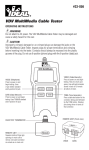
EasyCheck 900 User Guide EasyCheck 900 User Guide V1.4 EasyCheck 900 User Guide Contents 1 2 3 4 Introduction ................................................. 1-1 Main Features ............................................... 2-1 Appearance .................................................. 3-1 Verification ................................................... 4-1 4.1 Unpacking the EasyCheck 900 ................ 4-1 4.2 Package Checklist .................................. 4-1 4.3 Power Supply ........................................ 4-1 4.4 Power On and Self Check ....................... 4-1 5 User Interface ............................................... 5-1 6 Interface and Menu Management .................... 6-1 7 Functional Description .................................... 7-2 7.1 Device ID ............................................. 7-2 7.2 Cable Test ............................................ 7-2 7.2.1 Cable PASS ................................... 7-3 7.2.2 Open ............................................ 7-3 7.2.3 Short ........................................... 7-5 7.2.4 Miswire ......................................... 7-6 7.2.5 Split Pair....................................... 7-6 7.3 Length Test .......................................... 7-7 7.4 Tone Generator ..................................... 7-8 7.5 Flash Link LED ...................................... 7-8 7.6 Ping Test .............................................. 7-9 7.6.1 Quick Setup .................................. 7-9 7.6.2 Complete Setup ............................. 7-9 7.6.3 Test Status Introduction ................ 7-10 7.7 DHCP and Ping Test .............................. 7-11 7.8 Net Scan ............................................. 7-12 8 System View................................................ 8-13 8.1 Software versionError! Bookmark not defined. 9 System ........................................................ 9-1 9.1 Auto-off ............................................... 9-1 9.2 User Data ............................................. 9-1 10 Appendix A: How to use the Optional Tone tracer10-1 V1.4 EasyCheck 900 User Guide 1 Introduction The EasyCheck 900 is an easy-to-use Cable and LAN Tester in one unit. In addition to providing wiremap testing, cable length testing, cable faults diagnosis for opens and shorts etc. and cable tracing, the EasyCheck 900 can be used to detect the outlet connectivity and device types, i.e. PBX and Ethernet, etc. Tone Generation for tracing cable termination in the wall, ceiling and DDF is also provided. The EasyCheck 900 also has comprehensive network test functions, including static and dynamic (DHCP) IP configuration, PING test for verifying network connectivity, and NetScan for scanning active hosts on the LAN – providing a display of their IP and MAC addresses, thus allowing easy management of the LAN. 2 Main Features Fast and efficient testing of twisted-pair, coax cable and security cable. Intuitive LCD display of wiremaps Conduct tests of STP/UTP and diagnose faults for opens, shorts and miswires Perform cable tests per T568A/B standard Cable length test up to 457 meters Quick identification at unknown RJ45 ports Support static and dynamic (DHCP) IP configuration Ping test to detect faults, i.e. packet loss Find active devices with NetScan function Link indicator Blinking to identify cable termination on hub or router Generation of selectable tones on selected pins for use with tone tracers Automatically detects the presence of P.O.E. and Telephone Line Voltages 2-1 EasyCheck 900 User Guide 3 Appearance 3-1 EasyCheck 900 User Guide 4 Verification Verification is necessary before you begin using the EasyCheck 900. This chapter provides an overview of your tester. 4.1 Unpacking the EasyCheck 900 Before unpacking, please check whether there is any damage in the carton. Check all parts are present as per Section 4.2 and perform a self-check as per Section 4.4. Please report any problems to your local distributor. 4.2 Package Checklist The EasyCheck 900 LAN and Cable Tester kit includes: Part Quantity EasyCheck 900 tester 1 Remote 1 RJ12 to RJ45 cable 2 RJ45 to RJ45 cable 2 RJ45 to Alligator clip cable 2 User Guide CD 1 9V Battery 1 4.3 Power Supply The EasyCheck 900 uses a 9V battery. When the battery low icon in the top right is flashing, the battery should be replaced as soon as practical. To replace the battery press marking “OPEN” lock and push down the battery cap, then pull out battery snap and connect a new battery. Take care to not pull the battery cable too far when replacing the battery. 4.4 Power On and Self Check When you first use the EasyCheck 900 for the first time please perform the following steps: 4-1 Step Operation Explanation 1 Install a new The first time you power on the EasyCheck 900 it will EasyCheck 900 User Guide battery 2 4-2 Check battery status display “initializing” shortly followed by the main menu Press the [SETUP] key in the main menu to display the battery capacity and enter the system view menu. Press the [ESC] key return to main menu. EasyCheck 900 User Guide 5 User Interface The EasyCheck 900 tester is very easy to use. To help you make full use of its extensive and flexible testing capabilities, please read through this chapter carefully. Link Indicator Cursor Keys: Menu selection, Scroll and adjust values OK Key: Enter into a test mode or move to next screen. Setup Key: Set parameters Battery Cap:Press lock and push down 5-1 Backlit LCD Power Key: Short press to control back light. Hold to turn off/on tester. ESC:Return to higher level menu EasyCheck 900 User Guide 6 Interface and Menu Management The first time you power on the EasyCheck 900 it will display “initializing” shortly followed by the main menu. <<<Function>>> Main menu 1.Device ID 2.Length Test 3.Cable Test Press [↑] or [↓]key to select a function in the main menu,and press [OK] key to start the selected function. Pressing the [ESC] key returns you to the main menu. Main Menu Items: Device ID Length Test Cable Test Indentify possible conditions of an RJ45 port Test cable length Test cable for shorts, opens and split pairs, display wiremap. Generate Tone on all pairs of cable Tone Generator Flash Link LED Blinking a link indicator to find a HUB or switch port Ping Test Ping to verify connectivity of devices DHCP Test Dynamically acquire IP/DNS host and Gateway and detect network connectivity Net Scan Scan active devices in the LAN 6-1 EasyCheck 900 User Guide 7 Functional Description Press the [POWER] key to power on the EasyCheck 900,then select a function to begin test. To turn the EasyCheck 900 off, hold the [POWER] key until the display turns off. The EasyCheck 900 saves the last testing state after power off. When connecting to unknown ports or cables, it is best to begin with Device ID test mode. The following chapters will take you through every test function in details. 7.1 Device ID The Device ID test identifies what equipment connected to the other end of the port or cable. The test first looks for voltage being present on the connector pins. If voltages are found in the telephone voltage range, the LCD will display this voltage. If no voltage is detected, the EasyCheck 900 will check for Ethernet link pulses. If link pulses are detected, the EasyCheck 900 will report the Ethernet information, i.e. speed. The EasyCheck 900 default cable for connecting is a straight through cable. In the case of a network card being connected to the other end of the Ethernet cable, the EasyCheck 900 will display “NIC”, if a HUB or SWITCH is connected, the EasyCheck 900 will display “HUB or SWITCH”. Warning, if you use a crossover cable to connect the EasyCheck 900, the tester will incorrectly display “HUB or SWITCH” instead of “NIC”. In the case where the EasyCheck 900 reports "Auto MDI/MDI-X', it means the remote device supports auto-adapting crossover and straight through cables. If a POE voltage is present the EasyCheck 900 will display “POE Voltage” on the LCD. If telephony line voltage is present the EasyCheck 900 will display “ Telephone Voltage” on the LCD. Press [OK] to start a new test. 7.2 Cable Test Connect a Remote to one end of the cable and the EasyCheck 900 to the other end for a full cable test. Without a remote on the other end, the EasyCheck 900 will automatically perform a one-end test. One-end test mode can only diagnose cable faults for shorts and split pairs, but is unable to display the wiremap. The EasyCheck 900 will automatically perform a new test every 3 seconds with “Testing” being displayed. To ensure correct results, connect the cable to be tested before testing. See the connection diagram below. Remote 7-2 EasyCheck 900 User Guide 7.2.1 Cable PASS If the cable conforms to the T568A/B standard, the EasyCheck 900 will display “PASS” and report the cable length. If the Remote was connected, the EasyCheck 900 will display its serial number. „S‟ at the end of the wire map means the cable is STP. Wiremap at the tester end Cable Test Serial Number of Remote 12345678S R1 12345678S PASS! 1.5m Wiremap at the Remote end See the below diagram of correct wire arrangement per T568A/B. With a One-end Test the test result will appear similar to the following: Cable Test One-end Test PASS! 7.2.2 1.5m Open This error can only be detected with a remote at the far end of the cable. The EasyCheck 900 will report “Open” when any wire is not attached to a pin correctly. 7-3 EasyCheck 900 User Guide Example: For the above situation, the test result will appear as follows: Cable Test 12345678 R1 345678 Open! “Open” will be displayed on the last line, and pin 1&2 for the corresponding pair at the remote end won‟t be displayed. 7-4 EasyCheck 900 User Guide 7.2.3 Short When two wires or more are attached to each other, the EasyCheck 900 is able to detect shorts. This is reported at the bottom of the screen with the corresponding pin numbers. For shorts of multi-pairs the display scrolls. If a Remote is connected to the other end of a cable, a „+‟ will be displayed in the position under the numbers of short pairs, while one-ended test only displays “shorts: pin number” instead of wiremap. Example: For the above situation, see below: Cable Test 12345678 R1 123456++ Short:78 7-5 EasyCheck 900 User Guide 7.2.4 Miswire Miswire : A wire or more wires are not connected to the correct pins at the other end of the cable. If a miswire is detected, the LCD will display “Miswire” on the last line. The one-ended test mode doesn‟t support this function. Example: Wire 2 is connected to wire 3 on the other end. See the display below: Cable Test 12345678 R1 13245678 Miswire! 7.2.5 Split Pair The twisted-pair cables are made up of eight wires twisted together in 4 pairs. T568A/B standard prescribes the pairs:1-2,3-6,4-5,7-8. A split pair cable is wired with correct continuity but not with correct pairing. For a long cable, split pair fault will greatly affect the signal transportation. Example: Wires 1-3 are twisted together ,wires 2-6 shown below: 7-6 are twisted together,LCD displays is EasyCheck 900 User Guide Cable Test 12345678 R1 12345678 Split:1236 7.3 Length Test The length test function measures the length of a cable by measuring its capacitance, it is supported in one-end test mode. The capacitance per unit length can be adjusted. When testing an unterminated cable it is possible to use the RJ45 to Alligator clip cable, and set the pair to “1-2”. The EasyCheck 900 automatically runs a new test every second. The LCD displays is shown below: Length Test Unit:49.0pF/m Pair:1-2 Test result Len: 1.5m Press[↑] or [↓] to adjust the capacitance per unit length, and the EasyCheck 900 will display as follows: Length Test 50.0 Unit:50.0 pF/m Pair:1-2 Len: 1.5m For cables of unknown capacitance per unit length, a cable of known length of the same type may be used as a reference. The Unit value may then be adjusted to give the correct result on the reference cable before performing a test on the cable to be measured. To improve the accuracy of your reference setting, it is better to use a reference cable greater than 20 meters. Press [OK] repeatedly to select a wire pair to be tested, See the display below. 7-7 EasyCheck 900 User Guide Length Test Unit:50.0pF/m Pair: Len: 3-6 1.5m 7.4 Tone Generator The EasyCheck 900 can generates audio tones for use with tone tracers on all pairs, a selected pair or a selected pin in this mode. Press[↑] or [↓] to select wires or wire pairs for tone sending. Do not connect the Remote and other devices to the other end of the cable. Selection of a single wire will result in the strongest signal. Press[←] or [→] to change tone:High,Low,Tone1,Tone2 Tone Generator Pin: 12345678 Tone:High 7.5 Flash Link LED With a cable connected to a switch or HUB, you can use this function to trace its termination. The tester flashes the link LED indicator on the port of HUB or switch. The EasyCheck 900 will first find an active link before entering this function as shown below: Flash link LED Find link… If an Ethernet link is active, the world “Flashing” will be displayed on LCD and LED on the EasyCheck 900 flashes simultaneously. 7-8 EasyCheck 900 User Guide Flash link LED Link found. Flashing! 7.6 Ping Test Ping test is for testing the network connectivity using the ICMP protocol. Before IP testing, the IP address and the target IP address of the EasyCheck 900 must be set first. If these two address are not in the same LAN , the gateway and subnet mask should be set, too. 7.6.1 Quick Setup To configure the Ping Test using static IP addresses the following steps must be followed. Press [OK] to select the EasyCheck 900‟s IP with the selected value highlighted; Press [] or [] to go to the number of the IP address to be modified and press [] or [] to change the value; Press [OK] key again,and select the target IP; Set the target IP Address in the same way, press [OK] to escape and start a ping test. Example:The following diagram shows modifying the last value of the EasyCheck 900‟s IP Address: Ping Test EasyCheck 900‟s IP 8 My:192.168.001.008 Target IP Ta:192.168.001.010 Ping… 7.6.2 Complete Setup In the Ping test mode,press[SETUP] key to enter the Ping Setup screen, in which you may modify values of My IP(tester‟s IP), Target IP,Gateway and Subnet Mask and view the MAC physical address of the EasyCheck 900. Ping Set MyIP: 1 192.168.001.008 7-9 EasyCheck 900 User Guide Operations: A. Press [] or [] to move the cursor; B. Press [] or [] to change the value; C. Press [OK] to select: MyIP->Target IP->Gateway->NetMask->MAC; D. Press [ESC] return to Ping Test mode. 7.6.3 Test Status Introduction Link not Found: The cable is disconnected or no device is present at the far end: Ping Test My:192.168.001.009 Test result Ta:192.168.001.010 Link not Found! During a Ping Test: When detecting an active link,the tester will start the below display: the Ping test automatically, See Ping Test Testing My:192.168.001.009 Ta:192.168.001.010 Ping… Ping OK: When a response is received: Ping Test My:192.168.001.009 Ta:192.168.001.010 Ping OK! If the Ping succeeds, the tester displays the number of TX and RX packets: 7-10 EasyCheck 900 User Guide Ping Test My:192.168.001.009 Ta:192.168.001.010 Tx/Rx : 10/10 Tx: transmit packets; Rx: receive packets. If the two values are not the same, it means that some packets may be lost. IP Conflict When the EasyCheck 900‟s IP has been used by other devices, the LCD displays “MyIP is used!”。 No ARP response In the case of the target IP devices being disconnected or switched off, the EasyCheck 900 will display “No ARP response”. Ping Fail! This can be due a network problem, cabling, a Firewall or faulty device. In this situation we get no Ping response。 7.7 DHCP and Ping Test This is a very powerful test combining checking of the DHCP server and performing a ping test in an automatic way. In DHCP test mode, the EasyCheck 900 can get its network information, including tester‟s IP ,DNS server‟s IP and Gateway‟s IP from a DHCP host. Press [OK] to ping these devices. When the EasyCheck 900 finds an active link, it will display the results as follows: Try times for connecting DHCP Server. DHCP Test Requesting… Try:3 If the tester gets a response from the DHCP server, the LCD display as follows: DHCP Test My:192.168.001.002 Got response! Press OK to Ping Obtained an IP Address Press [OK] to ping the DNS server; Press[OK]again to ping the Gateway; Press[OK] a 7-11 EasyCheck 900 User Guide third time to ping a target IP address. Press [SETUP] to set the target IP. 7.8 Net Scan You must press [SETUP] to set the IP address range before a new test. Press [ESC] return to net scan mode after set the range,then press[OK] to start a scan test. The following screen indicates that the EasyCheck 900 is scanning: Net Scan Scan progress Number of devices found Scan:018 Found:005 The EasyCheck 900 stops the Net Scan when it gets to the end of the IP range. Press [OK] to interrupt a scan. Press[]or[] to see the device‟s IP and MAC address. Example: 001/005 Device number Number of devices found MAC: 00E04C582D84 IP:192.168.001.009 Note:Maximum number of results is 255. 7-12 EasyCheck 900 User Guide 8 System View Press [SETUP] in the main menu the EasyCheck 900 will enter system view mode. System View Version: 8-13 V1.6 EasyCheck 900 User Guide 9 System 9.1 Auto-off The EasyCheck 900 turns off automatically when no key has been pressed for 15 minutes. In Tone Generator mode this time is 60 minutes and in Flash Link LED mode the time is 30 minutes. 9.2 User Data To preserve user data such as configuration and results, the EasyCheck 900 must be turned off by holding the [POWER] key. If the battery is disconnected for longer than a minute, user data may be lost. 9-1 EasyCheck 900 User Guide 10 Appendix A: How to use the Optional Tone tracer Nothing Connected! Battery Low: Press while testing Audible Tone Received If the battery is low, the Battery Indicator will be on continuously whilst the test button is pressed. The battery should be replaced as soon as possible. 10-1