1
Table of Contents
Description of the Pulsar 200...................................................................................... 4
Glossary ...................................................................................................................... 5
Use of the Guide ......................................................................................................... 7
Pulsar Field Updates ................................................................................................... 7
Section I - Checking Out the Pulsar.................................................................................... 8
Unpacking ................................................................................................................... 8
Inspection.................................................................................................................... 8
Care and Handling ...................................................................................................... 8
Guaranty...................................................................................................................... 8
Do Not Open the Pulsar Enclosure! ............................................................................ 9
Powering on the Pulsar for the First Time .................................................................. 9
Pulsar Power-on Self Tests (POST)........................................................................ 9
Pulsar 200 Generic Display..................................................................................... 9
Checking the Brightness Control............................................................................ 9
Section II – Operation of the Pulsar 200........................................................................... 10
Design Goals ......................................................................................................... 10
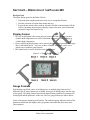
Display Screen .......................................................................................................... 10
Gauge Formats .......................................................................................................... 10
Alarms ....................................................................................................................... 12
Status Bar .................................................................................................................. 12
Pilot Controls ............................................................................................................ 12
Inputs......................................................................................................................... 13
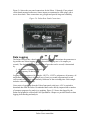
Data Logging............................................................................................................. 15
Section III – Installation.................................................................................................... 17
IMPORTANT NOTICE............................................................................................ 17
Installation Planning ................................................................................................. 17
Tools and Materials Required ................................................................................... 17
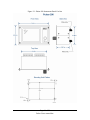
Pulsar 200 Panel Mounting ....................................................................................... 17
Installing the Exhaust Gas Temperature (EGT) Probes............................................ 19
Installing the Cylinder Head Temperature (CHT) Probes ........................................ 19
Probe Characteristics................................................................................................. 20
Thermocouple Wiring Harness ................................................................................. 20
Installing Sensors ...................................................................................................... 20
Power and Ground Wiring ........................................................................................ 20
Routing the Wiring Harness...................................................................................... 21
Checking the Installation .......................................................................................... 21
Power on Menu ......................................................................................................... 21
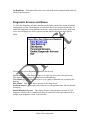
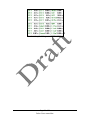
Diagnostic Screens and Menus ................................................................................. 22
Section IV - Description ................................................................................................... 24
Overview ................................................................................................................... 24
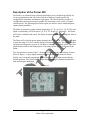
Description of Pulsar 200...................................................................................... 24
Inputs..................................................................................................................... 25
Operation Mode ........................................................................................................ 27
Display Pages ........................................................................................................ 27
Page 2 of 53
Pulsar Users manual.doc