1
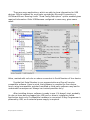
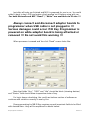
If the key You just programmed has ROM version 57, You could check the
writing results by reading “Fixed Password” and “Initial Hash” You just wrote to it.
Click “Read” button, right next to “Initial Hash” field – that operation is not
necessary to perform if writing process was terminated with message “Done.” - it
is for Your fun only.
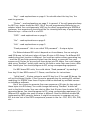
But “Read” button helps You to read “Fixed Password” and “Initial Hash” of
Key, not only You programmed, but also Key, which is original from car. That is the
way to obtain this such important “EIS Password” commented above, which will
help You to prepare new Keys for that car or adapt Electronic Steering Lock for
W204/W207 series. For further processing of EIS password and using it for ESLadaptation, please, contact our sales representatives for corresponding ESL
programming hardware and software.
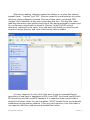
The reading process is fully automated and safe. It doesn't change the Key
content, so you do not need to perform any additional tasks after reading. When it
completes (in several seconds – it's not an instant reading) You could remove
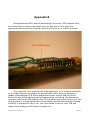
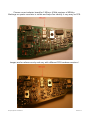
original Key NEC MCU from adapter board (pay attention to the fact, that for v.57
You has special adapter board in the set, which is different that the others provide
for 2 MHz and 4 MHz NEC MCUs) and proceed further with erasing/writing another
one as already described above.
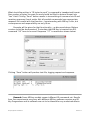
Click “Read” and You get:
IR Key Programmer User Manual
Revision 1.2