1
Magnum 10KT Managed Switch Installation and User Guide
3.2.4
06/12
SFP (Small Form-factor Pluggable) Transceivers
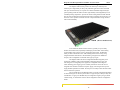
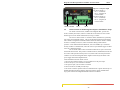
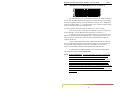
The small form-factor pluggable (SFP) is a compact optical transceiver used in
optical communications for both telecommunication and data communications
applications. Due to its compact, hot pluggable characteristics, SFPs are becoming a very
popular choice for various applications. The Magnum 10KT is designed for industrystandard SFPs for user selection of the SFP media type as desired.
All SFPs used in the Magnum 10KT are compliant with the industry standard MultiSource Agreement (MSA) ensuring compatibility with a wide range of networking kit.
(see Section 1.2 for the SFP’s available for the 10KT)
Note: It is highly recommended to remove the fiber cable first before
removing the SFP transceiver for any reason. Not removing the fiber cable
first can damage the fiber cable, cable connector or optical interfaces. It is
advised not to remove and insert a SFP transceiver frequently as this may shorten its
useful life.
Note: Always use an ESD wrist strap while handling the SFP transceivers
since the SFP modules are static sensitive devices.
Note: The copper 1000BASE-T SFP transceiver port supports 1000Mb
only. It is recommended to use a straight-through RJ-45(4-twisted pair) connection while
connecting to any Server/workstation. While connecting with any Switch/repeater or
other device, it is recommended to use Crossover RJ-45 (4-twisted pair) category 5 or
higher cabling. The maximum length supported on copper 1000BASE-T is
100m (328 ft.).
3.2.5
Connecting Fiber Optic Cable to SFP Transceivers
1.
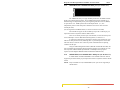
Before connecting the fiber optic cable, remove the protective dust caps from
the module connectors. Save these dust caps for future use.
2.
Wipe clean the ends of the dual connectors with a soft cloth or lint-free lens
tissue dampened in alcohol. Make certain the connectors are clean before
connecting.
Note: One strand of the duplex fiber optic cable is coded using color bands at regular
intervals; you must use the color-coded strand on the associated ports at each end of the
fiber optic segment.
3.
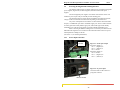
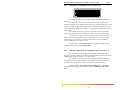
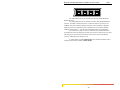
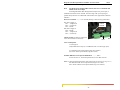
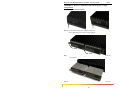
Find the Transmit (TX) and Receive (RX) markings on the SFP transceiver to
verify the top side of it. Some of the transceivers show a arrow mark for up.
www . GarrettCom . com
24