1
Magnum 10KT Managed Switch Installation and User Guide
3.6
06/12
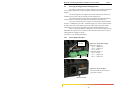
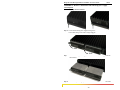
Connecting the Console Terminal to Magnum 10KT
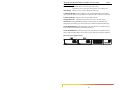
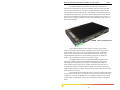
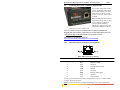
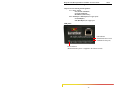
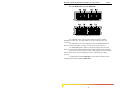
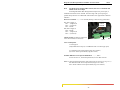
Use a (RJ45) “null modem” cable to
connect the Magnum 10KT Console
Port (the RJ45 Console port on the
10KT Switch) to your PC, so that
your PC becomes the 10KT Console
Terminal.
Note: The RJ45 null modem cable is
not included with the 10KT package,
but two models are available for
purchase. Model CONSOLECBLQD has a DB-9 on the PC end,
while Model CONSOLE-USB has a
USB connector on the computer end.
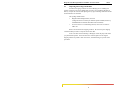
Note: For a detailed description of Managed Network Software (MNS-6K) and
Magnum 10KT Switch software configuration for Network Management, please refer
to Magnum 6K Software Manual available on GarrettCom‘s FTP site.
Also available on GarrettCom’s website at:
http://www.garrettcom.com/techsupport/sw_downloads.htm
3.6.1
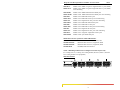
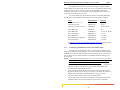
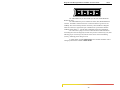
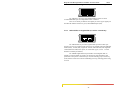
RJ45 Console port (Serial port) pin assignments
RJ45 (10KT Console port connector)
Pin
Signal
Description
1
2
3
4
5
6
7
8
RTS
open
TXD
GND
open
RXD
open
CTS
Request to Send
not used
Transmit Data (output)
Ground
not used
Receive Data (input)
not used
Clear to Send
The above provided information enables a managed station (a PC or a Console terminal)
to connect directly to the switch.
Note: To use the Console port to configure the managed switch, a serial (Null-modem)
www . GarrettCom . com
31