1
XD300
USB 2.0 XPRESS DOCKING STATION
DEVICE DRIVER UN-INSTALLATION IN WINDOWS 2000/XP
SYSTEM
The following procedure allows you to un-install the XD300 device driver.
Step 1 Please make sure the XD300 is unplugged from your PC or Notebook
before executing the device driver un-installation program.
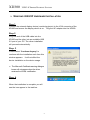
Step 2.
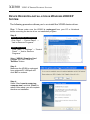
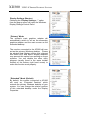
Default Windows XP Start menu:
Click “Start” → “Control Panel” →
“Add or Remove Programs”.
Classic start menu:
Click “Start” → “Settings” → “Control
Panel” → “Add or Remove
Programs”.
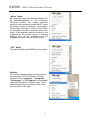
Select “USB 2.0 Graphics Card
(Trigger 1+)” item. Click the
“Remove” button.
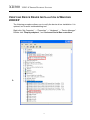
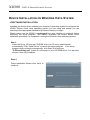
Step 3.
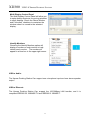
Make sure the XD300 is unplugged
from notebook/PC USB port and
click “OK” to continue.
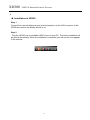
Step. 4
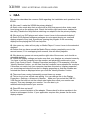
Select “Yes, I want to restart my
computer now” and click “Finish” to
reboot. After reboot, you will complete
the driver un-installation
7