1
IPU-1025
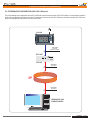
5.- DEVICE CONFIGURATION (WEBSERVER)
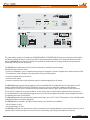
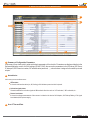
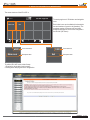
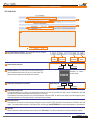
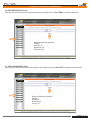
BUTTON 3 EDITION
#003
Yard
1
Zona alta
2 2B 2C
3 3B 3C
003
1003, 1004, 1010
4
4B 4C
5
BUTTON 3 EDITION
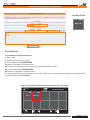
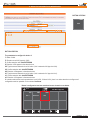
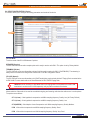
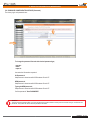
The parameters to configure for button 3:
1. Button 3 label.
2. Extension to call: 003 (equal to 1003).
3. Confirm extension with: Add EXTENSION
4. Extension 1003 appears in the extension box.
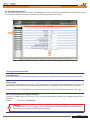
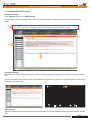
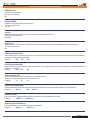
2B. Type the second extension to call in button 3, this is extension 004 (equal to 1004).
3B. Confirm extension with: Add EXTENSION
4B. Extension 1004 appears in the extension box.
2C. Type the second extension to call in button 3, this is extension 010 (equal to 1010).
3C. Confirm extension with: Add EXTENSION
4C. Extension 1010 appears in the extension box.
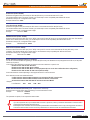
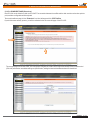
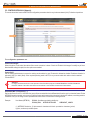
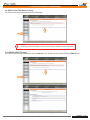
5. In button number three has three extensions to call (1003, 1004 and 1010), there is no other extension to configure and
configuration must be uploaded. Click on button: Send data.
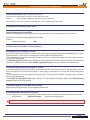
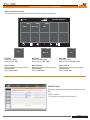
Button 3 configuration has been saved and screen shows the new button.
00.00
IPU-100P Paging Desk
1001
Zone 1
#002
Main room
#003
Yard
1
Installation - Configuration - Use - IPU-1025
Rev. 0
610.440A
21 29