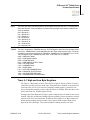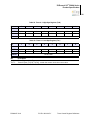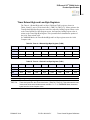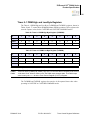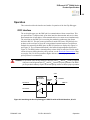
1
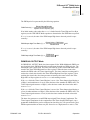
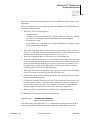
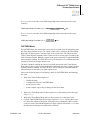
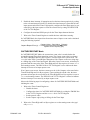
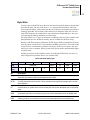
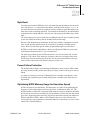
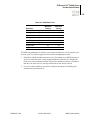
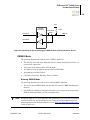
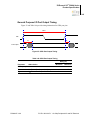
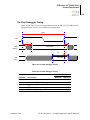
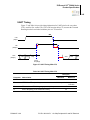
Z8 Encore! XP® F082A Series Product Specification 72 it is appropriate to have the Timer Output make a state change at a One-Shot time-out (rather than a single cycle pulse), first set the TPOL bit in the Timer Control Register to the start value before enabling ONE-SHOT Mode. After starting the timer, set TPOL to the opposite bit value. Observe the following steps for configuring a timer for ONE-SHOT Mode and initiating the count: 1. Write to the Timer Control Register to: – Disable the timer – Configure the timer for ONE-SHOT Mode. – Set the prescale value. – Set the initial output level (High or Low) if using the Timer Output alternate function. 2. Write to the Timer High and Low Byte registers to set the starting count value. 3. Write to the Timer Reload High and Low Byte registers to set the reload value. 4. If appropriate, enable the timer interrupt and set the timer interrupt priority by writing to the relevant interrupt registers. 5. If using the Timer Output function, configure the associated GPIO port pin for the Timer Output alternate function. 6. Write to the Timer Control Register to enable the timer and initiate counting. In ONE-SHOT Mode, the system clock always provides the timer input. The timer period is computed via the following equation: Reload Value – Start Value Prescale ONE-SHOT Mode Time-Out Period s = -----------------------------------------------------------------------------------------------------------------System Clock Frequency Hz CONTINUOUS Mode In CONTINUOUS Mode, the timer counts up to the 16-bit reload value stored in the Timer Reload High and Low Byte registers. The timer input is the system clock. Upon reaching the reload value, the timer generates an interrupt, the count value in the Timer High and Low Byte registers is reset to 0001H and counting resumes. Also, if the Timer Output alternate function is enabled, the Timer Output pin changes state (from Low to High or from High to Low) at timer Reload. Observe the following steps for configuring a timer for CONTINUOUS Mode and initiating the count: 1. Write to the Timer Control Register to: – Disable the timer – Configure the timer for CONTINUOUS Mode PS022827-1212 PRELIMINARY Operation