1
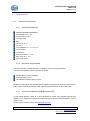
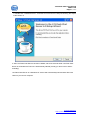
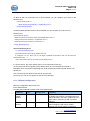
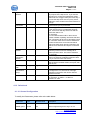
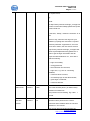
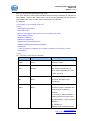
123 Flash Chat User Manual 2007-5-29 Pages: 6 of 69 The installation will include two parts: 1. Installing the chat server 2. Configuring a web server and embed the chat client to your webpage 3.1 Overview the files: It contains the following folders: /client ad banner flashEmotion help lang skin /doc /server data default logs members message rooms userinfo etc groups database lib logs wrapper_win32 /readme.txt 3.2 Installing the Chat Server 3.2.1 Windows NT/2k/XP/2003 Follow the steps below to install the latest Windows version of 123 Flash Chat Server 1. Download the latest Windows version of 123 Flash Chat Server Software at: http://www.123flashchat.com/download.html, get the file: 123flashchat.exe TopCMM Software http://www.123flashchat.com