1
SlimFlex: Water Treatment Controller
3.9 Password
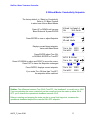
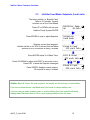
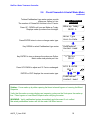
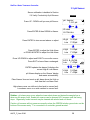
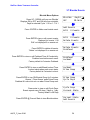
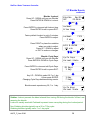
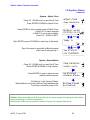
Turning ON Password
Password is turned OFF in new controllers
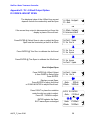
Press UP - DOWN until you see Day & Time
Press ENTER & UP to select Password ON
I
fy
oupr
essENTERy
ou’
l
lbepr
ompt
edf
orapasswor
dt
hen
next time you press ENTER.
Thu 16:54:10
S/N: T041T0486
Current State
Adjust Clock
Password ON
Current State
Password ON
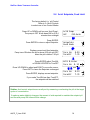
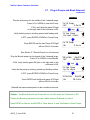
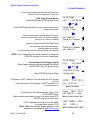
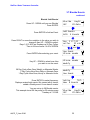
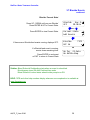
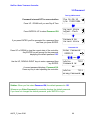
Press UP or DOWN to view the current state of the controller.
Any ENTER key will prompt for the password,
displaying the default password 123.
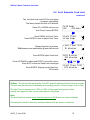
Enter Password
0000123
then
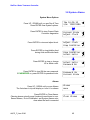
Use the UP, DOWN & RIGHT keys to enter a password then
key ENTER.
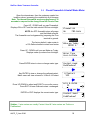
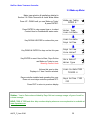
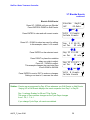
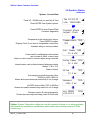
A correct password displays, Password OK.
Press any key to start operating the controller.
Advice
?110
Password OK
OR
Advice
?111
Wrong Password
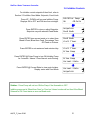
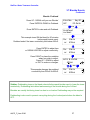
Sidebar: When you first select Password ON, the default password is 123.
Whenever you Enter Password the controller displays the default password.
If you have not changed the default password, press ENTER to log in.
AQCP_F_User 05/06
44