1
8.1.1. Ticket Column
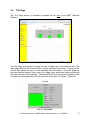
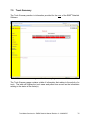
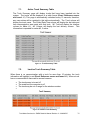
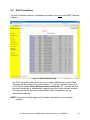
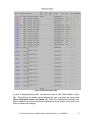
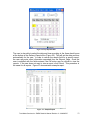
The Ticket column displays a ticket number. This will allow a user to easily
locate a transaction according to a specific number. As in Section 4.2.5, the
Ticket number consists of the EMR3 Head/Meter number and a 4 digit sequential
number that is incremented by one each time a new transaction is started. Each
head contains its own 4 digit number sequence, therefore if head #1 is used, the
4 digit number associated with head one will be incremented. However, on this
page (as well as on the Edit Transactions page), the Ticket number also contains
an IB Box or modem number qualifier. This appears at the beginning of the ticket
number followed by a dash (-) and then the rest of the ticket number. (Error!
Reference source not found. 45)
8.1.2. Index Column
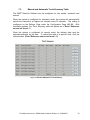
The Index column refers to a number that is associated with a specific delivery
status. This field will always display a number. The number 0 will indicate if
there was a single delivery; 1toN will indicate multiple deliveries and 255
indicates a summary record. (Error! Reference source not found. 45)
8.1.3. Truck Column
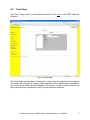
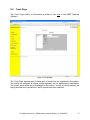
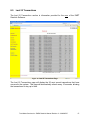
The Truck column is used to display the truck name that is associated with the
transaction. This allows easy access to what truck is associated with the
information provided in a specific row. (Error! Reference source not found. 45)
8.1.4. End Time Column
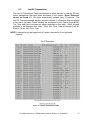
The End Time indicates the time the truck completed the transaction. The
date/time is indicated in the following format: Month/Day/Year Hour: Minutes:
Seconds AM or PM. (E.g. 1/27/2005 3:46:42 PM) (Error! Reference source not
found. 45)
8.1.5. Field #1, #2, #3, #4, #5, #6, #7, #8, #9, #0 Columns
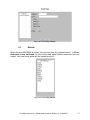
Field #1 (displayed as Tank ID), #2, #3, #4, #5, #6, #7, #8, #9 and #0 are fields
that allow a company to customize this table. The list of columns under Caption
on the Settings Page is a preset list; therefore these columns allow the tables to
be customized (4.2). If the field is completed on the Captions page under the
Configuration Page, these fields will be included in this table (Error! Reference
source not found. 45). Field #1 is set to a default field of Tank ID. This field can
be changed to a field name desired by a company (e.g. Customer # or Aircraft
Tail #). All fields must be manually entered by the user on the Edit Transactions
Page. (9.0)
Total Meter Services Inc. EMR3 DataLink Manual Revision 3 – 2008/05/27
43