1
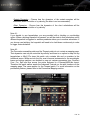
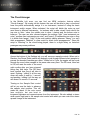
•Sustain Dynamics - Choose how the dynamics of the sustain samples will be
controlled; with a controller or by velocity (the latter is not recommended).
•Short Dynamics - Choose how the dynamics of the short articulations will be
controlled; with a controller or by velocity.
Note #1:
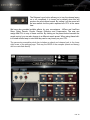
If you decide to use keyswitches, you are provided with a latching or non-latching
option. When a latching keyswitch is pressed, you will be stuck in that articulation until a
different keyswitch is triggered or another parameter takes you to another articulation. If
you choose non-latching, the keyswitch will need to be held down continuously in order
to trigger that articulation.
Note #2:
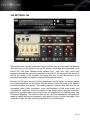
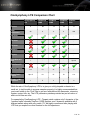
The Percussion ensemble patch and the Timpani patch do not contain a mapping page.
Their dynamics can only be controlled by velocity and there is no option to map out any
keyswitches or Midi CCs since this patch only contains hits and no sustains in the
traditional sense. While we took the four most common instruments for the woodwinds,
brass and strings patches, we decided to map out various percussion from CinePerc
Core, Pro, Epic and Aux across the entire keyboard in a General-MIDI-like layout.
Therefore this patch neither needs the Advanced Controls nor the split functions on the
mapping page. The same applies for the Timpani patch. For more information on the
percussion patches, please refer to the Percussion Mapping section.
6 of 12