1
DDS2 manual v2
7/21/05
3:54 PM
Page 2
SETUP*
CONTROLLER
CONTROLS
The controls differ between field and battle modes. Master these controls before
engaging the enemy.
MEMORY CARD slot 2
disc tray
MEMORY CARD slot 1
RESET button
®
DUALSHOCK 2 ANALOG CONTROLLER CONFIGURATIONS
OPEN button
USB connector
controller port 1
controller port 2
L2 button
R2 button
L1 button
R1 button
* Note: Illustration may not match all
PlayStation 2 console types. For owners of
SCPH-70000 series PlayStation 2 systems, refer
to the setup instructions supplied with your system.
Set up your PlayStation®2 computer entertainment system according to the
instructions in its Instruction Manual. Make sure the MAIN POWER switch
(located on the back of the console) is turned ON. Press the RESET button. When
the power indicator lights up, press the OPEN button and the disc tray will
open. Place the DIGITAL DEVIL SAGA™2 disc on the disc tray with the label
side facing up. Press the OPEN button again and the disc tray will close.
Attach game controllers and other peripherals, as appropriate. Follow onscreen instructions and refer to this manual for information on using the
software.
Memory Card (8MB)(for PlayStation®2)
To save game settings and progress, insert a memory card (8MB)(for PlayStation®2)
into MEMORY CARD slot 1 of your PlayStation®2 system. You can load saved game
data from the same memory card or any memory card (8MB)(for PlayStation®2)
containing previously saved games.
directional
buttons
button
left analog stick
(L3 button when pushed down)
SELECT button
ANALOG mode button
START button
right analog stick
(R3 button when pushed down)
button
button
button
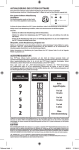
Controls
In the Field
During battle
Directional buttons
Left analog stick
Right analog stick
L1 button
R1 button
L2 button
R2 button
START button
SELECT button
Move character
Move character
Change point of view
Change point of view (rotate left)
Change point of view (rotate right)
N/A
N/A
N/A
N/A
Reorient point of view to forward
Search / Talk / Make Selection
Bring up the Auto Map
Bring up Command Menu
Move cursor
Move cursor
N/A
N/A
N/A
N/A
N/A
N/A
Toggle help ON/OFF
button
button
∆ button
button
Confirm
The ANALOG Mode button is alway ON and the DUALSHOCK®2 will vibrate according to events in the
game. For more information on how to turn this function ON/OFF, please see “Config” (pg. 17). This game
can also be played with an analog controller DUALSHOCK®. The names of each part and the basic
controls are the same as the DUALSHOCK®2.
2
3