1
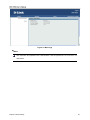
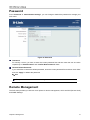
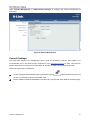
Open “Remote Management” in “Administrator Settings” to configure the remote management of
DAP-3760.
Figure 35 Remote Management
Console Settings
The DAP-3760 supports CLI management, which could be accessed by Secure Shell (SSH). It is
recommended PuTTY be used to login. Download it from http://www.putty.org/ for free. The minimum
system requirement for using PuTTY is Windows 95, 98, ME, NT, 2000, XP and Vista on Intel x86.
Follow the steps below to implement:
Once the program is downloaded, open up by double-clicking
. Note that before using PuTTY,
be sure you are able to connect to the DAP-3760.
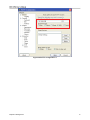
Enter IP Address of DAP-3760 (Default: 192.168.0.50), Port (22) and check SSH as connection type;
Chapter 5 Management
45