1
dataTaker
Communications Parameters and Protocols
Defining a
Password
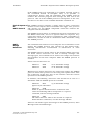
The optional password is defined by the command in the general
format
PASSWORD="password "
where password is a text string of up to 10 case sensitive characters.
Defining the password as null removes an existing password.
The following command defines the password for the logger
PASSWORD="SecretCode"
Logging onto
the Datataker
After a password has been defined to the Datataker, then to later reestablish communications with the Datataker simply enter the
defined password
SecretCode
If the entered password matches the password stored in the
Datataker, then the Datataker responds with
Accepted
and signs the user on for a new session.
If the entered password does not match the stored password, then the
Datataker does not respond,
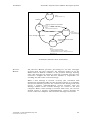
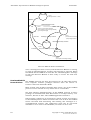
The RS232 COMMS serial interface remains open while there is
communications activity, or until the SIGNOFF command is issued.
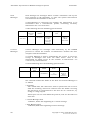
If there is no communications activity for 300 seconds (5 minutes),
then the RS232 COMMS interface will automatically signoff. The
automatic signoff delay can be defined by the Parameter14
Command in the range of 1 - 255 seconds.
If the Datataker is issued a RESET command during a session, then
any stored password is lost.
The Datataker will respond to the DEL character with << regardless
of the password state. This allows a Datataker to be identified.
Entering
Commands
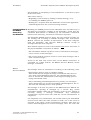
Programming commands are entered into the Datataker by any o f
four basic methods
• the most common method is to enter commands into the Datataker
directly from the host computer, via the RS232 COMMS serial
interface
Copyright © 1993 dataTaker Pty Ltd
Document No. RM-003-A0
7