1
Installation Instructions
(UK)
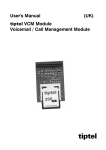
tiptel VCM Module
Voicemail / Call Management Module
Only for authorised specialist installers
tiptel
Table of Contents
Table of Contents
Table of Contents .............................................................................................. 3
Introduction........................................................................................................ 5
Notes .................................................................................................................. 5
Product package.......................................................................................................... 6
Advice on the proper operation of the VCM-Module.................................................. 6
Environmental compatibility ........................................................................................ 6
Main features................................................................................................................ 6
Answering machine for each subscriber of the telephone system....................... 7
Automatic switchboard ........................................................................................... 7
Information system ................................................................................................. 8
First start-up ...................................................................................................... 9
Assembling the VCM module ...................................................................................... 9
Tools required......................................................................................................... 9
Assembly order....................................................................................................... 9
Disassembling the VCM-Module ................................................................................. 11
Tools required......................................................................................................... 11
Disassembly order.................................................................................................. 11
Configuration: Settings ..................................................................................... 12
General ......................................................................................................................... 12
Expert mode: Voicemail............................................................................................... 12
Unassigned directories on the MMC ..................................................................... 12
Outgoing message ................................................................................................. 12
Incoming messages ............................................................................................... 12
Memory allocation .................................................................................................. 12
Configuration menu: Subscriber...................................................................... 13
Menu: Setting up service - Sub-menu: SMS............................................................... 13
Set up SMS ............................................................................................................. 13
Menu: Call manager - Sub-menu: Switchboard ......................................................... 14
General.................................................................................................................... 14
Day/night profile...................................................................................................... 14
Automatic switchboard ........................................................................................... 14
Transfer messages ................................................................................................. 15
Enter transfer destinations...................................................................................... 16
Assignment table: incoming external calls ............................................................ 16
Menu: Call manager - Sub-menu: Transfer ................................................................ 16
General.................................................................................................................... 16
Day/night profile...................................................................................................... 16
Greeting and transfer.............................................................................................. 16
Transfer messages ................................................................................................. 17
Assignment table: incoming external calls ............................................................ 18
3
Table of Contents
Menu: Call manager - Sub-menu: Information ........................................................... 18
General.................................................................................................................... 18
Day/night profile...................................................................................................... 18
Information system ................................................................................................. 18
Transfer messages ................................................................................................. 19
Assignment table: Incoming external calls ............................................................ 20
Remote access .................................................................................................. 21
Remote access............................................................................................................. 21
Remote access functions ............................................................................................ 22
Playback incoming message function ................................................................... 22
Switching functions................................................................................................. 22
Changing announcement....................................................................................... 23
Message transfer function ...................................................................................... 23
Switch off device function....................................................................................... 23
Remote activation of answering mode....................................................................... 24
Troubleshooting ................................................................................................ 25
Description of possible malfunctions .......................................................................... 25
The VCM-Module is not being detected. ............................................................... 25
“No access to MMC possible” error message ...................................................... 25
Appendix ............................................................................................................ 26
Flow diagrams.............................................................................................................. 26
Automatic switchboard ........................................................................................... 26
Greeting and transfer.............................................................................................. 27
Information system ................................................................................................. 28
Service.......................................................................................................................... 29
Guarantee..................................................................................................................... 29
CE sign ......................................................................................................................... 30
Ecological information ................................................................................................. 30
Notes on care............................................................................................................... 31
Index................................................................................................................... 32
4
Introduction
Introduction
Congratulations on purchasing your VCM-Module - a decision in favour of a
multifunctional solution on extending your telephone system,
•
Answering machine for each subscriber of the telephone system
•
Greeting and transfer
•
Automatic switchboard
•
Information system
Notes
We reserve the right to make changes to this User's Manual or the hardware
described at any time and without prior notice. The current version of the User's
Manual is also available as a pdf file on the Internet at www.tiptel.com. The texts and
illustrations of this User's Manual have been compiled with the utmost care. However,
errors cannot be ruled out completely. The publisher cannot be held liable for any
incorrect information or consequences arising as a result.
© 2007 Tiptel.com GmbH Business Solutions Ratingen. All rights reserved.
5
Notes
Product package
Please check that you have received everything before starting installation. The
delivery includes:
•
1 VCM module
•
1 installation manual (this document)
•
1 User's Manual
Advice on the proper operation of the VCM-Module
•
Installation procedures must be carried out by a professional. Installation
procedures on the 230v mains network must be carried out by a qualified
electrician. VDE 0100 must be observed.
•
In case of any malfunction, please disconnect the unit from the line and remove
all ISDN connection cables from the NTBA.
Environmental compatibility
No contact with substances harmful to human health can occur if the system is used
properly. The synthetic materials used in this device consist of partially recycled
granulate. Our packaging does not contain any synthetic materials. Only cardboard
and paper from partially recycled material is used.
Main features
The VCM-Module provides a large number of features that can be adapted to
individual requirements. Some of the features can be activated or deactivated via
settings on the individual terminals.
•
Supplements the range of functions of the tiptel 30xx and tiptel.com
telephone system family to include voicemail and call management
functions
•
Capacity for outgoing and incoming messages: depending on the module
purchased
•
Administrating outgoing message and incoming message by PC (web
interface): playback, copy, upload to the telephone system, incoming
message list
6
Notes
Answering machine for each subscriber of the telephone system
•
Recording capacity can be set to 8, 16 or 40 minutes
•
9 individual outgoing message, of which one outgoing message only
•
Separate final message and “Memory full” message
•
outgoing message and incoming message length can be set from one
minute up to the maximum recording capacity
•
outgoing message can be switched manually or using time control via 6
different day/night profiles
•
Switching on can be delayed 1 to 50 seconds
•
Remote access with QRC function, individual 4-digit PIN code, remote
switching, remote deleting
•
Particularly simple, menu-led operation of your personal answering machine
with tiptel 85 system
•
Message forwarding by SMS, telephone or call with voice message, settable
repeat time, reminder interval, reminder number and collective message
•
Greeting and transfer
•
Greets the caller with an outgoing message and then transfers to a fixed
destination (text before answering)
•
2 separate independent systems available (each with its own outgoing
message and destination)
•
Integrated waiting loop with individual importable position message
•
Number of concurrent callers can be set between 1 and 4
•
Recording capacity for outgoing message can be set to 8, 16 or 40 minutes
Automatic switchboard
•
Welcomes the caller with an outgoing message and then transfers to a
destination selected by the caller
•
4 separate independent systems available (each with its own outgoing
message and destination)
•
Up to 9 destinations can be set
•
Integrated waiting loop with individual importable position message
•
Number of concurrent callers can be set between 1 and 4
•
Recording capacity for outgoing message can be set to 8, 16 or 40 minutes
7
Notes
Information system
•
Greets the caller with an outgoing message and offers selection between
various information messages
•
2 separate independent systems available (each with its own outgoing
message and destination)
•
Up to 9 individual information messages
•
Number of concurrent callers can be set between 1 and 4
•
Recording capacity for outgoing message can be set to 8, 16 or 40 minutes
8
First start-up
First start-up
Assembling the VCM module
Tools required
•
Cross-slot screwdriver small/medium (tiptel 30xx and tiptel.com 822XT)
•
Slot screwdriver small/medium (tiptel.com 410, 810, 411, and 811)
Assembly order
The following procedure must be observed when installing the VCM-Module:
•
Switch system off (pull out mains
plug)
•
Open the housing (tiptel 30xx and
tiptel.com 822XT)
•
Loosen the terminal cover.
•
Remove the terminal cover.
•
Loosen the two screws on the
cover.
•
Remove the cover.
9
First start-up
•
Open the housing (tiptel.com 410, 810, 411, and 811):
•
At the indicated areas (1)
insert a slot screwdriver (4
mm) or a similar tool as far
as it goes from bottom of
the housing in the direction
towards the top. Pull the
screwdriver towards you (2)
which will slacken the snap
mechanism and lift the
cover towards the back of
the unit.
1
1
2
2
tiptel.com 410-811
•
•
Assembling the VCM-Module
•
Find the slot for assembly.
•
Set the VCM-Module as shown
(Memory card on the top side).
•
Ensure that the pins on the
circuit board fit in the VCMModule bore holes (tiptel 30xx
and tiptel.com 822XT).
Close the housing
•
•
Re-insert the covers and
screws (if applicable) in the
reverse order.
Connect the system to 230 V mains.
tiptel 30xx / tiptel.com 822 XT
Note:
Before initial use you can initialise the VCM-Module for up to 5 minutes.
Wait for this time before accessing the module for the first time.
10
First start-up
Disassembling the VCM-Module
Tools required
•
Cross-slot screwdriver small/medium (tiptel 30xx and tiptel.com 822XT)
•
Slot screwdriver small/medium (tiptel.com 410, 810, 411, and 811)
Disassembly order
To disassemble the VCM-Module proceed in the reverse order to assembly.
Note:
When disassembling the VCM-Module do not under any circumstances
use tools to loosen the module from its slot. This could damage your
telephone system’s main circuit board.
Remove the VCM-Module by moving it gently back and forth and
pulling it upwards at the same time.
11
Configuration: Settings
Configuration: Settings
General
Configuration of the VCM-Module is performed using the configuration software of
the telephone system. An existing voicemail / call management module is detected
automatically by the telephone system and the necessary configuration menus are
released.
The individual configuration items are described below.
Note:
The configuration includes comprehensive online help. After clicking a
coloured heading, a pop-up window appears displaying the help text
for this topic.
Expert mode: Voicemail
Unassigned directories on the MMC
ICM and OGM from deleted subscribers or cancelled voice boxes are saved until
they are deleted manually. Here you can assign the complete directory with all
incoming and outgoing messages of a subscriber or service for which voicemail has
not yet been activated. Please note that under some circumstances there is no
access to incoming messages or certain outgoing messages if the subscriber or
service does not use incoming messages or certain outgoing messages.
Outgoing message
The existing outgoing messages that cannot be assigned to any subscriber are
indicated here.
Incoming messages
The existing incoming messages that cannot be assigned to any subscriber are
indicated here.
Memory allocation
The memory allocation lists all the voice boxes that are switched on and the memory
space reserved for them. Please note that for technical reasons it is not possible to
reserve the whole space on the MMC for voicemail boxes. Unassigned directories
from former voicemail boxes also reduce the available amount of memory.
12
Configuration menu: Subscriber
Configuration menu: Subscriber
Configuration of the VCM-Module is carried out via the menu on the left "Subscriber Answering Machine". For details, please see the User's Manual. Every subscriber may
set up his/her own answering machine this way.
Menu: Setting up service - Sub-menu: SMS
The SMS service allows you to send or receive SMS messages to/from other
terminals. The messages are not transferred directly to the other terminal but instead
are sent to the other terminal via the message centre. The SMS function is used for
SMS message forwarding. The message is comprised of the date, time and caller’s
phone number. You configure access to the message centre here.
Set up SMS
Name
Enter the name of your provider here.
Call number provider
Enter the call number of your SMS provider here.
Log in call number
To log in and out you have to send an SMS to an address specified by the provider.
The destination address for Deutsche Telekom is 8888. This is set as the default.
Log on
The log in text for the SMS service is stipulated here. For Germany this is “ANMELD”
and is preset.
Log off
The log out text for the SMS service is specified here. For Germany this is “ABMELD”
and is preset.
Outgoing MSN
Here you specify the outgoing MSN to be used for logging in to the provider.
13
Configuration menu: Subscriber
Menu: Call manager - Sub-menu: Switchboard
General
By pressing a number on his tone dialling (DTMF) telephone the caller uses the
automatic switchboard function to decide the calling destination. This enables your
telephone system to be extension-ready. In addition, this removes calls from any
available switchboard as the caller himself can connect to the desired contact. A total
of 9 transfer destinations with names can be entered. Extensions are allowed to
occur more than once here. You can specify a distinction on the system telephone
using the names that are transferred (e.g. target 1 with number 50 and the name
“Service”, target 2 with the number 50 and the name “Sales”)
Day/night profile
Here you select the day/night profile for which your settings should apply.
Automatic switchboard
AS selection
Select the automatic switchboard that you wish to configure here.
Automatic switchboard on/off
You activate the automatic switchboard here.
Language selection
Specify the language used to announce the position in the waiting loop. The
following languages are available:
•
German
•
French
•
English
•
Dutch
Maximum memory
Allocate the maximum recording capacity of your system here. Select one of the
following options:
•
8 minutes
•
16 minutes
•
40 minutes
14
Configuration menu: Subscriber
Memory allocation
The current memory allocation for the selected switchboard is indicated here.
Name
Assign a name for the automatic switchboard here.
Call number
The call number assigned by the system is indicated here.
Maximum number of concurrent calls
Set the maximum number of concurrent calls here. This setting depends on the
number of external S0 ports. You can set a maximum of 2 for one external S0
connection. You can set a maximum of 4 for 2 external S0 connections.
Transfer messages
Select outgoing message for editing
Select here whether you want to edit the welcome message or the position message.
Upload outgoing message
If no OGM has been saved, you can transfer it to the telephone system here.
Save/delete outgoing message
If an OGM has already been saved, you can edit it here.
Save the outgoing message to the PC
Delete the outgoing message
Message name
Enter a meaningful name for the outgoing message here.
15
Configuration menu: Subscriber
Enter transfer destinations
Here you define the key that users press to select the destination you have set under
transfer destination. You can select the following as destinations:
•
An extension
•
A group
•
Another automatic switchboard
•
An information system
This enables you to build up a comprehensive outgoing message, transfer and
information system.
Assignment table: incoming external calls
Here you define the MSN/DDI for which the automatic switchboard responds for of
external calls.
Menu: Call manager - Sub-menu: Transfer
General
The transfer function transfers a caller directly to the transfer destination after playing
a greeting. If the destination is busy, the caller hears the message indicating the
position until they are connected.
Day/night profile
Here you select the day/night profile for which your settings should apply.
Greeting and transfer
G&T selection
Select the greeting and transfer that you wish to configure here.
Greeting and transfer on/off
You activate the greeting and transfer function here.
Language selection
Specify the language used to announce the position in the waiting loop. The
following languages are available:
16
Configuration menu: Subscriber
•
German
•
French
•
English
•
Dutch
Maximum memory
Allocate the maximum recording capacity of your system here. Select one of the
following options:
•
8 minutes
•
16 minutes
•
40 minutes
Memory allocation
The current memory allocation for the selected switchboard is indicated here.
Name
Assign a name for the automatic switchboard here.
Call number
The call number assigned by the system is indicated here.
Connection target
Here you can set the subscriber to whom the call is to be transferred.
Maximum number of concurrent calls
Set the maximum number of concurrent calls here. This setting depends on the
number of external S0 ports. You can set a maximum of 2 for one external S0
connection. You can set a maximum of 4 for 2 external S0 connections.
Transfer messages
Select outgoing message for editing
Select here whether you want to edit the welcome message or the position message.
Upload outgoing message
If no OGM has been saved, you can transfer it to the telephone system here.
Save/delete outgoing message
If an OGM has already been saved, you can edit it here.
•
Save the outgoing message to the PC
17
Configuration menu: Subscriber
•
Delete the outgoing message
Message name
Enter a meaningful name for the outgoing message here.
Assignment table: incoming external calls
Here you define the MSN/DDI for which the automatic switchboard responds for of
external calls.
Menu: Call manager - Sub-menu: Information
General
The caller decides what information (10 different outgoing messages) he/she wants
to hear from the information system by pressing a number on his touchtone (DTMF)
telephone. Any company that wants to provide customers various sorts of information
that stay the same over longer periods of time (travel agent, weekly retail offers,
manufacturer’s product information line) uses the “Information system” function so
that the employees do not have to provide the same information repeatedly.
Day/night profile
Here you select the day/night profile for which your settings should apply.
Information system
IS selection
Select the information system that you wish to configure here.
Information system on/off:
You activate the information system function here.
18
Configuration menu: Subscriber
Maximum memory
Allocate the maximum recording capacity of your system here. Select one of the
following options:
•
8 minutes
•
16 minutes
•
40 minutes
Memory allocation
The current memory allocation for the selected switchboard is indicated here.
Name
Enter here a name for the information system.
Call number
The call number assigned by the system is indicated here.
Maximum number of concurrent calls
Set the maximum number of concurrent calls here. This setting depends on the
number of external S0 ports. You can set a maximum of 2 for one external S0
connection. You can set a maximum of 4 for 2 external S0 connections.
Transfer messages
Select outgoing message for editing
Select here whether you want to edit the welcome message or one of up to 9
information messages.
Upload outgoing message
If no OGM has been saved, you can transfer it to the telephone system here.
Save/delete outgoing message
If an OGM has already been saved, you can edit it here.
•
Save the outgoing message to the PC
•
Delete the outgoing message
Message name
Enter a meaningful name for the outgoing message here.
19
Configuration menu: Subscriber
Assignment table: Incoming external calls
Here you define the MSN/DDI for which the automatic switchboard responds for of
external calls.
20
Remote access
Remote access
You can access your personal answering machine remotely from anywhere in the
world using the keypad on a Dual-tone Multiple Frequency (DTMF) touchtone
telephone. You need a personal access code to access the phone remotely. You can
set your personal remote access code as described in "Settings".
Remote access
Note:
Call your personal answering machine.
Internally available under 930 from the
assigned subscriber. Otherwise, call the
subscriber using the extension/direct
dial number.
You hear the current greeting.
Enter the remote access code via the
telephone keypad. If you make a
mistake delete entry using the * key and
start again.
A voice message confirms recognition of each
digit.
To confirm the entry press the #
button.
If the correct code is detected your VCMModule notifies you via a voice message. If
the code is incorrect, the device terminates
the connection.
If you have activated the QRC function (refer to User's Manual) for the
call number from which you are calling, your personal answering
machine answers directly with the voice message. Then you do not
have to enter your remote access code.
Start the desired function by entering
the relevant digit (e.g. Number 2 to
playback all new incoming message).
Each digit is confirmed.
Press digit 8 to end a function.
The current function ends.
End remote access by pressing star and
hash in succession.
21
Remote access
Remote access functions
Playback incoming message function
To playback all messages
Press 3.
The playback starts with the first recording.
To playback new messages
Press 2.
Starts playback of recordings that have not yet
been heard.
Repeat
Press 5 during playback.
The last three seconds are repeated.
To pause playback
Press 8.
Playback is paused.
To continue playback
Press 5.
Playback is continued from where it was
paused.
Skip
Press 4 for back or 6 for forwards during
playback.
The message you are listening is skipped or
repeated.
Repeat
Press 2 during playback.
Playback is paused and the caller’s number is
announced (requires call number transfer being
permitted by the network provider).
To delete the current message
Press 7 during playback.
The current incoming message is deleted.
To delete all messages
Press * and 7 in succession.
All incoming messages are deleted.
Switching functions
To switch message transfer on/off
Press * and 4 in succession.
The current status "on" or "off" is announced.
Important note: The type of message forwarding
(e.g. SMS or call) matches the most recent
setting in the web interface.
... Changing the outgoing message
One after another Press 7 and desired
outgoing message 0 ... Press 9.
The selected outgoing message is played back
for checking. The next caller is greeted with this
message.
22
Remote access
Changing announcement
... Changing the outgoing message
One after another press 9 and desired
outgoing message 1 ... Press 9.
Your personal answering machine requests you
to speak.
If you have called the MSN of an
answering machine you can only
change your own messages 8 and
9!
Record an outgoing message.
For an outgoing message with incoming
message option. After recording the
outgoing message press 8.
The greeting is played back for checking. At the
end you hear one signal tone.
For a greeting without incoming message
option (greeting only):
After recording the greeting press #.
The greeting is played back for checking. At the
end you hear two signal tones.
or
Message transfer function
Change the destination call number for
message forwarding
Press buttons * and 9 in succession.
The current destination call number is
announced. A request to enter a new target call
number then follows.
Enter the new target call number.
Each digit is confirmed.
To delete the target call number press the *
button.
The destination call number is deleted.
To accept the target call number, press the
# button.
The new target call number is played back for
checking.
Switch off device function
Switching answering mode off
Press * and 0 in succession.
Your personal answering machine is
deactivated and will not answer any more calls.
23
Remote access
Remote activation of answering mode
Call the call number of your personal
answering machine (MSN).
After 50 seconds the device answers with a
beep.
Enter remote access code via the
telephone keypad and accept with the #
button.
The greeting is played for checking. The
device can be operated remotely (e.g. to
record a greeting). After terminating the
remote access your personal answering
machine is ready and will answer calls.
Note:
The remote activation option requires that you have previously entered
a remote access code in your telephone system for the MSN called and
that you have switched on the “Remote activation” function (refer to
User's Manual).
Note:
If you call the device from a call number stored as a “QRC” (refer to
User's Manual) in your telephone system and the device is switched off,
it answers immediately with the usual voice message. By entering you can now remotely switch your personal answering machine on at
any time. You receive a voice confirmation (“answering mode on”).
24
Troubleshooting
Troubleshooting
Description of possible malfunctions
A number of possible errors and suggestions for remedying these are described
below.
The VCM-Module is not being detected.
•
The module has not yet been installed. Look at the corresponding LED
(refer to Installation Manual tiptel 30xx or tiptel.com 822XT). Around two
minutes after the system starts, the LED lights up irregularly for a longer
period of time. In this time the module is being initialised and is not yet
available (see below).
•
With tiptel.com 410 through 811 the module won't be ready before the "VM"
Led is lit permanently.
•
Check whether you have inserted the VCM-Module in the correct direction. If
necessary, rotate the module.
•
The module is defective. Consult your supplier.
“No access to MMC possible” error message
The VCM-Module is not being initialised.
•
Before first use, initialising the VCM-Module can take up to 5 minutes.
Wait for this time before accessing the module for the first time.
•
An incorrect MMC, the wrong size of MMC or an unsuitable type was used:
Only use an original TIPTEL-card. You will only find the relevant operating
data on this card (e.g. voice data).
•
During access to the MMC (e.g. during voice recording) the plug was
pulled, the power failed or the module was removed.
The module must be reorganised and initialised. This can take up to one
hour. Please be patient and occasionally reload the page in your browser.
Observe the relevant LED (refer to Installation Manual tiptel 30xx or
tiptel.com 822XT). Once this is turned off again, the module will be ready in
a couple of seconds. With tiptel.com 410 through 811 the module won't be
ready before the "VM" Led is lit permanently
25
Appendix
Appendix
Flow diagrams
Automatic switchboard
Call
Announcement
with DTMF
evaluation
Pressed i
button?
Simulation:
“1 was
pressed“
yes
Outgoing
message
complete?
no
i=1
through 9
yes
yes
no
Pressed 0
button?
no
Position 1?
Position message
withMusic on
Hold
no
yes
no
Transfer
worked?
yes
Delete position 1,shift
position list
END
26
Appendix
Greeting and transfer
Call
Greeting
Position 1
no
Position message
with Music on Hold
?
yes
Transfer worked
properly?
no
yes
Delete position 1,
shift position list
END
27
Appendix
Information system
Call
Greeting
announcement with
DTMF evaluation
no
Pressed i
button?
i=1 through 9
yes
IS announcement
yes
Pressed 1
through 9?
no
yes
pressed 0?
no
no
Announceme
nt complete?
yes
END
28
Appendix
Service
You have purchased a modern product by Tiptel which was designed and
manufactured in Ratingen near Düsseldorf. The high-tech manufacturing facilities
“Made in Germany” grant a continuous level of the highest quality. This is even
underlined by the certification according to DIN EN ISO 9001.
If, however, problems occur or you have questions on operating the device, please
contact your local dealer.
Guarantee
Please contact your local dealer or importer for details of guarantee for non EC
countries.
Within the European Community the following guarantee regulation applies:
Your contact for services arising from guarantee obligations is the authorised dealer
where you bought the device.
Tiptel.com GmbH will grant a guarantee of 2 years from the date of handover for the
material and for the manufacturing of the telecommunications terminal unit.
Initially, the purchaser shall have only the right of subsequent performance.
Subsequent performance entails either repair or the supply of an alternative product.
Exchanged devices or parts shall become the property of the authorised dealer.
If the subsequent performance fails, the purchaser can either demand a reduction in
the purchase price or withdraw from the contract.
The purchaser shall notify the dealer immediately of any defects found. Proof of the
guarantee entitlement shall be furnished by standard proof of purchase (receipt or
invoice).
The guarantee entitlement shall expire if the purchaser or an unauthorised third party
interferes with the device. Damage caused by inappropriate handling, operation,
storage or by force majeure or other external influences shall not be covered by the
guarantee.
The guarantee shall not cover any consumable material (e.g. batteries) or defects
that only slightly impair the value or the usability of the device.
Claims for damage caused by transport shall be asserted to the delivery company.
29
Appendix
Notes on settlement:
Repairs can only be conducted by the Tiptel Service. A warranty repair does not
prolong the warranty period – neither for the replaced parts nor for the device. This
guarantee is not transferable and shall expire if the device is sold on to another party.
It shall also expire if the device is interfered with by third parties or if the serial
number on the device has been removed or made illegible. There is a guarantee seal
on the device. Please do not damage or remove this seal because otherwise, your
guarantee will expire.
The General Terms and Conditions of Tiptel.com GmbH, which are part of the
contract for a dealer, shall also apply. In the event of a complaint, the defective
product shall be sent to the relevant Tiptel subsidiary, the importer or dealer along
with a description of the defect and the proof of purchase.
CE sign
This device is approved for the connection and use within the public telephone
networks in all EC countries – according to the European Requirements. Due to
technical deviations in individual countries, we cannot grant an unlimited guarantee
for the successful operation at all types of telephone accesses.
Tiptel.com GmbH hereby declares that the device complies with all fundamental
requirements of the European directive 1999/5/EC. This conformity is confirmed by
the CE sign on the device.
Further details on the declaration of conformity can be found under the following
internet address:
http://www.tiptel.com
Ecological information
During the normal use of the device you will not have any contact to substances
damaging to your health. The device is not battery-operated. The plastics used for
manufacturing this device exclusively consist of partially recycled granules. The
packaging materials do not consist of plastics but of partially recycled cardboard and
paper.
If you do not have further use of your device, Tiptel.com GmbH will take back the
device without any charge. The device will be properly taken to pieces for recycling.
30
Appendix
Notes on care
Your telephone system does not require maintenance. Clean the housing surface
only with a soft, slightly damp cloth or an antistatic cloth. Never use a dry cloth
(electrostatic charges may result in malfunctions in the electronics). Please do not
use chemicals or abrasive cleaners.
31
Index
Index
A
M
Appendix ........................................... 26
Assembly............................................. 9
Assesmbly order ................................. 9
Assignment table
incoming external calls............ 16, 18
Incoming external calls.................. 20
Automatic switchboard ..................... 14
Main features....................................... 6
Malfunctions...................................... 25
Memory allocation............................. 12
MMC.................................................. 12
N
Notes................................................... 5
Notes on care.................................... 31
C
Call manager
Information .................................... 18
Switchboard .................................. 14
Call Manager
Transfer ......................................... 16
Caller’s number................................. 22
CE sign.............................................. 30
Configuration
Subscriber ..................................... 13
O
OGM.................................................. 12
OGM with ICM................................... 23
OGM without ICM.............................. 23
Operating the VCM-Module ................ 6
P
Packaging materials.......................... 30
Product package................................. 6
D
Day/Night profile ................... 14, 16, 18
Disassembly...................................... 11
Disassembly order ............................ 11
R
Remote access ................................. 21
Remote access code ........................ 21
Remote access functions.................. 22
Remote activation ............................. 24
Remote deletion ................................ 22
E
Ecological information ...................... 30
Enter targets...................................... 16
Environmental compatibility ................ 6
Expert mode...................................... 12
S
Service............................................... 29
Setting up service
SMS ............................................... 13
Settings ............................................. 12
Skip ................................................... 22
Start-up................................................ 9
G
Greeting and transfer ........................ 16
Guarantee ......................................... 29
I
T
ICM.................................................... 12
Information system............................ 18
Introduction ......................................... 5
Tools required ............................... 9, 11
32
Index
V
Transfer messages ............... 15, 17, 19
Troubleshooting ................................ 25
Voicemail........................................... 12
U
Unassigned directories ..................... 12
33
Tiptel.com GmbH Business Solutions
Halskestraße 1
D - 40880 Ratingen
Tel.:
0900 100 – 84 78 35*
Vanity Tel.:
0900 100 – TIPTEL*
Internet:
www.tiptel.de
International:
Internet:
www.tiptel.com
*(gebührenpflichtig)
Tiptel GmbH
Tenschertstraße 5
A - 1230 Wien
Tel.:
Fax:
E-mail:
Internet:
01 - 616 78 71
01 - 616 78 71 - 22
[email protected]
www.tiptel.at
Tiptel AG
Bahnstrasse 46
CH - 8105 Regensdorf
Tel.:
044 - 884 01 80
Fax:
044 - 843 13 23
E-mail:
[email protected]
Internet:
www.tiptel-online.ch
Tiptel B.V.
Camerastraat 2
NL – 1322 BC Almere
Telefoon:
0900 – BELTIPTEL of
0900 – 2358478 (niet gratis)
Fax:
036 – 53 678 81
E-mail:
[email protected]
Internet:
www.tiptel.nl
Tiptel NV
Leuvensesteenweg 510 bus 4
B – 1930 Zaventem
Telefoon:
0903 99 333 (1,12 Euro / min.)
Fax:
02 714 93 34
E-mail:
[email protected]
Internet:
www.tiptel.be
Tiptel sarl
23, avenue René Duguay-Trouin
F – 78960 Voisins-Le-Bretonneux
Tél. :
01 / 39 44 63 30
Fax :
01 / 30 57 00 29
e-mail :
[email protected]
Internet :
www.tiptel.fr
(UK) 12/2007
EDV 4931657