1
TX-8150_mst.book
21 ページ
2015年6月15日 月曜日 午後2時28分
Playing music with Bluetooth® functions
You can wirelessly enjoy music files stored in a
smartphone or other Bluetooth enabled device. The
coverage area is 48 feet (15 meters).
Playback
It
Pairing
De
BLUETOOTH
Pairing is necessary when connecting the Bluetooth
enabled device for the first time. Before starting the
procedure, learn how to enable the Bluetooth setting
function and to connect with other devices on the
Bluetooth enabled device.
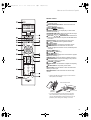
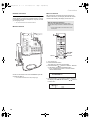
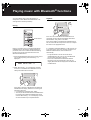
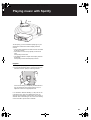
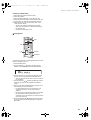
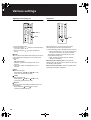
1. Press the BLUETOOTH button of the remote control.
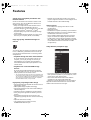
The unit begins pairing and “Now Pairing...” is
displayed.
If the unit is on and the Bluetooth enabled device is
connected, the input will be automatically switched to
“BLUETOOTH”. Play music in this state.
If the volume setting on the Bluetooth enabled device is
low, the sound will not be output from this unit, so adjust
the volume to an appropriate level.
If “3. Hardware”-“Bluetooth Wakeup” (> 36) is set to “On”
in the setup menu, then once you start connection on a
Bluetooth enabled device, this unit switches on
automatically.
0 It may take about a minute until connection is
established when the unit is on since the Bluetooth
function takes some time to start up.
0 Due to the characteristics of Bluetooth wireless
technology, the sound produced on this unit may
slightly be behind the sound played on the Bluetooth
enabled device.
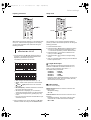
2. While “Now Pairing...” is on the display, complete
connection on the Bluetooth enabled device in the
nearby area within about 2 minutes.
If the name of this unit is displayed on the Bluetooth
enabled device’s display, select this unit. Paring will
end after a short time.
0 If a password is requested, enter “0000”.
0 You can pair with another Bluetooth enabled device
by pressing and holding the ENTER button of the
unit until “Now Pairing...” is on the display. This unit
can store the data of up to 8 paired devices.
21