1
Installing and Configuring Your ControlNet PLC-5 Backup System
3-9
Configure Handshaking Messages With RSNetWorx
Within your backup system, you must use RSNetWorx to set up the
send and receive scheduled messages that allow handshaking to occur
between the two ControlNet PLC-5 processors that comprise your
backup system.
For each of the processors comprising a backup system, you must
create two scheduled peer-to-peer messages: one Send and one
Receive. These messages must be exactly five words in length. From
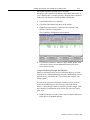
the ControlNet Configuration screen for the first processor, follow
these steps:
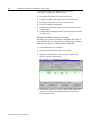
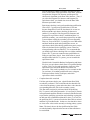
1. Right click on the even node (Node 2 in this example) and choose
Insert Receive Scheduled Message.
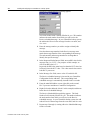
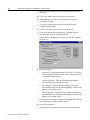
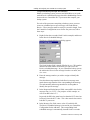
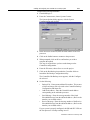
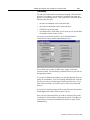
The Receive Scheduled Message dialog appears.
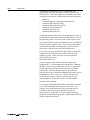
The Node Number field is already filled in for you. This number
indicates the node number from which you will receive the
Receive scheduled message. In your ControlNet backup system,
the odd node will receive the message from the even node, and
vice versa.
2. Enter the message number you wish to assign to identify this
message.
Note that the message number for the Receive message must
match the message number of the corresponding Send message.
The node number and message number are used together to
identify the specific message.
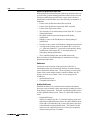
3. In the Requested Packet Interval field, enter an RPI value for this
message from 1 to 32,767. (For purposes of this example, we
will use an RPI value of 5.)
In general, the RPI value must be no less than the NUT value, but
less than 2 times the NUT value. This value must be the same in
both PLC-5 processors.
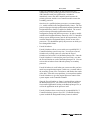
4. In the Message Size field, enter a value of 5 and click OK.
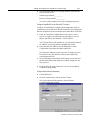
The Receive scheduled message is inserted in your ControlNet
Configuration for the odd node. The corresponding Send
scheduled message is automatically inserted for the even node.
Publication 1785-6.5.24 February 1999