1
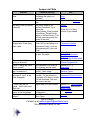
Menus and Short Cuts
Menu
Title
File
Quit
Tools
Copy Current FileName
Go to Top of Script
Find File
Locate Original File
Go to Bottom of Script
Update Record Counter
View
Help
Batch Processor
Cell Formatting
Display Script
Import Script
Project Folder
Setup
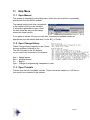
Open Change History
Open
From Local Drive
Manual From Internet
Open Tutorial
About
Register Word2WAV
Description
CTRL-…
Q
Copies name of file in Active cell in the clipboard
Opens a dialog box to enter the file name
Find file used to create an alternate and makes it
the Active cell
Z
R
Should WAV files be manually added/removed
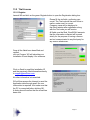
Adjust cell position, width, number, etc.
Opens the Project Folder in a separate window
Opens the Change History from the Internet
Opens the manual located in the W2_v3 Folder
Opens the latest manual from the Internet
Tutorial for Version 3 is not ready yet
Opens the Registration window
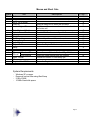
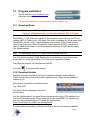
System Requirements:
-
A
F
O
Windows XP or newer
Runs well on Intel Mac using BootCamp
2 GB of RAM
10 MB of hard disk space
Page 4
B
W
D
I
P
S
M