1
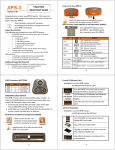
Carlson SURVCE Screen Captures
Collect points in the graphics mode.
Compute volumes in SurvCE 2.
Tab based menu structure.
Hot List lets users jump to routines.
Supports an unlimited number of
localization points.
Job Settings – Customize layers, colors,
cutsheets, descriptions and much more.
Angle Sets in Store Points – Faster, more
efficient collection.
Point Number by Interval – Advanced point
ID controls.
Leveling – Collect and process trigonometric
& digital level loops.
Instrument Switching – SurvCE keeps track
of every instrument, so switching equipment
is fast and easy.
Feature Coding – Add numerous coding
styles & functions.
Help – Click to get the help document for the
current routine.
Features
Easy to use
• Tab-Based MENU Structure. All commands
are visible in each menu, preventing the need
for Up-Down Arrow Keying to view options.
Enhanced graphics
• Collect points in the graphics mode. Points
plot as they are shot in the field or entered.
There is no need to switch between screens to
view your points.
Job Settings
• SurvCE 2 has the option to use a template
DXF file for new jobs so that all layers and
colors are automatically created per your
company standard.
• It has the option to auto-load cutsheets and
control files from the previous job for those
users that work on one site continuously
Read in LandXML
• Supports LandXML points, DTM, graphics,
alignments, profiles and sections.
New Features
New Look
• SurvCE Version2 has a new colorful look.
Icons have been standardized to create
continuity throughout the product, while
modernizing the user experience.
Hot List
• The new Hot List lets users jump to the
SurvCE 2 routines that previously had
shortcuts without having to memorize key
strokes. It also provides shortcut functionality
to devices without keyboards.
Volumes
• SurvCE 2 can compute volumes between two
surfaces, one surface and an elevation or
simple stockpile volumes. Surfaces can be
defined by graphical entities and points or by
Carlson TIN files
Help
• The software has optional on-board help files.
These files are the entire user manual and can
be installed separately. Click on the SurvCE
icon and select Help to get the help document
that pertains to the current routine.
Leveling
• SurvCE 2 can be used to collect trigonometric
level loops and digital level loops. Loops can
be processed and adjusted on the device and
all existing project coordinate points can be
updated.
GPS Networks
• SurvCE 2 supports several GPS network
protocols, such as NTRIP, TCP and UDP.
Localization
• The software supports an unlimited number of
localization points. All project scale settings
and coordinate system options have been
centrally located in the localization dialog.
Angle Sets in Store Points
• SurvCE 2 allows users to “Configure” how
each reading is measured with regard to direct
and reverse options (Formerly know as
SS/Trav). If direct and reverse readings are
taken at the backsight, then any direct and
reverse foresight will be considered an angle
set and will be reduced accordingly.
• SurvCE 2 has the ability to turn off the autodescriptions in stakeout and completely
customize how all stakeout routines behave
• Point Number by Interval –SurvCE 2 can
interval the point ID by using the “Add to Next
Pt ID” option. To number all points on the odd
numbers, start at 1 and use 2 in this field.
Feature Coding
• SurvCE 2 can collect parallel lines using the
offset horizontal and offset vertical line
drawing commands and close a rectangle by
three points using the rectangle command. In
the settings section of Special Codes, the user
can even auto compute and store the
additional points at the line vertices that were
created by the software.
• SurvCE 2 allows the user to code in numerous
coding styles that may be defined by their
office package.
Instrument Switching
• SurvCE 2 keeps track of every instrument
completely separate. This includes all base
stations, rovers and total stations, so that
mixing equipment is easy. Simply configure
your gear once and forget it. The instrument
icon has been enhanced to allow you to switch
between your current equipment.
Skew Angle Staking
• SurvCE 2 supports staking offsets on a skew
angle and provides the option to stake offset
intersections and bisectors at angle points and
the radius or PI point of an arc without leaving
the Stake Line/Arc routine.