1
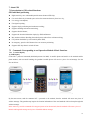
Description: After the setting is successful, press the SOS key, then the terminal will circularly dial the set phone until
it is connected.
7.2.4 SOS Function
If the monitoring number (i.e. the phone in Item 3) is set, when the ward is in emergency, press the SOS key for 3s,
then terminal will firstly play a piece of alert tone and then send a piece of alarm message to every pre-saved number,
then circularly dial the three pre-saved numbers until getting connected. At the same time, the terminal activates the
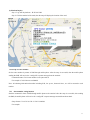
GPS function; after succeeding, the terminal will report the current location to the center.
Format of sending alarm message:
#356823031017473##0#0000#SOS#2#26280E4E#11354.6567,E,2232.7841,N,005.82,119#180310#061616##
7.2.5 Regular Upload Interval Setup
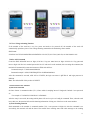
The defaulted factory upload interval of this device is 2 minutes for getting the point and 4 minutes for uploading one
piece of positioning information. The user may change such parameter according to actual demand.
Command format: # command number 730# Sampling interval # Pieces of uploads # User password ##
For example: 730#20#4#0000##
Note: The parameter “20” indicates getting one point every 20s; after getting points accumulatively for 4 times, upload
one piece of positioning information with the upload interval as 20*4=80s. The user may change this parameter as the
case may be.
7.2.6 Function of Changing Password
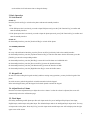
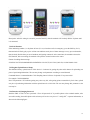
Send the SMS “#770# User new password # User old password ##” by mobile phone to the terminal number, after
successful sending, the mobile phone with such setup will receive one piece of “config OK” response information, as
shown in the following figure:
12