1
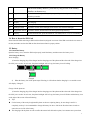
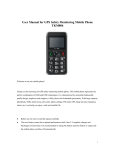
On the non-standby interface, press this key long to back to the standby interface in shortcut way. 10 Keypad On the Edit interface, press * key to input special symbols and press the # key to switch input modes. 11 MIC 12 I/O port For charging . 13 Lanyard port For lanyard 14 Flashlight switch Upward to switch on the flashlight, downward to switch off the flashlight. 15 Keypad lock switch Upward to unlock, downward to lock the keypad (except SOS key) 16 SOS key In switch-on/off state, press this button for 3 for SOS (refer to 7.2.2,7.2.3 for details) 2.4 How to Insert the SIM Card Please insert the SIM card along its SIM card slot direction (align the cut corner of the SIM card with the cut corner of the slot) and make sure that the SIM card has been inserted into its proper position. 2.5 Battery 2.5.1 Install the Battery Open the battery cover, insert the SIM card properly, install the battery and then restore the battery cover. 2.5.2 Charge the Battery About charging: 1) Insert the charging plug of the charger into the charging port of the phone and the other end of the charger into the 220V power socket. In such case, the phone backlight will be lit up, the battery icon will rolling . Charging Charged 2) When the battery icon of the phone stops flickering, it will indicate that the charging is over and the screen will display “Charged”. Charge with the phone on: 1) Insert the charging plug of the charger into the charging port of the phone and the other end of the charger into the 220V power socket. In such case, the phone backlight will be lit up, the battery icon will flicker and the battery icon on the right of the screen will start flickering. ● Tips: For the battery of the newly bought mobile phone or the new replacing battery, do not charge it until it is completely used up. It is recommended to charge the battery for above 12h for the first three times in order to ensure the service life of the battery. The charging with the phone on will not affect the normal call dial and reception, but consume more power than 5