1
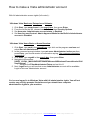
How to make a Vista administrator account
With full administrative access rights (full control)…
* Windows Vista Business, Enterprise or Ultimate:
1.
2.
3.
4.
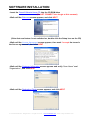
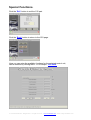
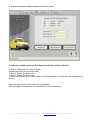
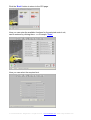
Click Start, type secpol.msc in the search box, then press Enter
From the list on the left, choose Local Policies, then Security Options
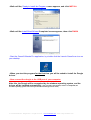
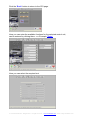
Set Accounts: Administrator account status to Enabled
Set User Account Control: Admin Approval Mode for the Built-in Administrator
account to Disabled
* Windows Vista Home Basic or Home Premium:
1. Click Start, type cmd in the search box, right click on the program cmd.exe and
select Run as Administrator
2. In the command prompt window, type net users Administrator /active:yes then
press Enter, you should receive a confirmation saying; The command completed
successfully
3. Click Start, type regedit in the search box, then press Enter
4. Navigate to the section:
[HKEY_LOCAL_MACHINE\SOFTWARE\Microsoft\Windows\CurrentVersion\Poli
cies\System]
o Double click FilterAdministratorToken and set it to 0
5. Next, logoff and you will see that a new Administrator account will be available.
Login to this new Administrator account
You’re now logged in to Windows Vista with full administrative rights. You will not
receive any security prompts like before and you should have complete
administrative rights to your machine.
© Carsoft International – Belgium 2011. All rights reserved. – www.carsoftsales.com – email: [email protected]