1
Vela CC Viewer
Find Text
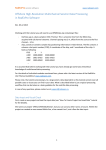
The ‘Find Text’ feature allows you to search through the 608 and 708 text using a comma delimited list
of words from a text file. To use this feature you must first create a text file containing the words then
use that text file for the search:
1. Open Notepad or any text editor.
2. Enter each word to be searched for separating each using a comma.
3. Save the text file
4. Load for the file using the browse
button.
5. Select ‘Find Text’ to execute the search.
6. Use the ‘Find Next’ button to find each instance of a word.
Clear Text
Clears 608 and 708 Closed Captioning results.
Exiting the Application
Under normal conditions, shutdown the application using the windows x button.
Under abnormal conditions, select the Soft Reset option on the Vela Toolbar. This will forcibly
shutdown all Vela applications and threads and clear the programs from memory.
7