1
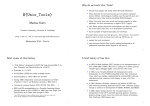
git – branching and merging
git – objects in repository
HEAD
Commits form a directed acyclic graph in the
repository.
Each commit can be the parent of multiple
other commits (branches) and each commit
can have multiple other commits as parents
(merge).
master
updates−1.0
merge
Branches reflect diverging lines of development,
merges bring these together again.
Tags add human-friendly names to some
commits.
Branch heads move along with each commit to
them, tag references remain where they are.
Commits not reachable from any tag or branch
head will be garbage collected.
commit A saved snapshot of a project (= tree of files and
directories), stored in a repository. Includes metadata:
branch heads
release−1.0
ref
81
git – branching and merging
git branch branchname — start a new branch (off HEAD)
I
git branch branchname startpoint — start a new branch,
which diverges from the existing commit startpoint
I
git checkout branchname — switch the content of the working
directory to branch head branchname, in preparation for working on
that branch. Points HEAD at the new branch head and updates
working files and index accordingly. Commits will now be added to
that branch.
I
git checkout -b branchname [startpoint] — start a new
branch head, then perform checkout on it.
(Short for git branch . . . followed by git checkout . . . )
I
git merge commit . . . — Merge one or more other branches into
the current one. Identifies all ancestors of the listed commit(s) (e.g.,
branch names) that are not yet ancestors of HEAD, and tries to apply
their changes to HEAD, then make a new commit with all the listed
commits as parents. May require manual resolving of conflicts.
date and author of the commit
I
description
branch A line of development. Another descriptive name with a
pointer to a commit (branch head), but (unlike a tag) that
pointer is updated automatically whenever a new commit
arrives on that branch. Name of default branch: master
commit
I
I
tag Descriptive name (e.g., release-2.4.7) pointing to a
particular commit. Can be associated with commits after
their creation. Tags are intended to keep pointing at the
same commit, but can be edited later.
initial commit
git branch — list branches, mark current one (HEAD) with *.
pointer(s) to parent commit(s)
Identified through a 160-bit string (40 hex digits), the
SHA-1 hash of the file tree and metadata. It represents a
version of your software, the state of your project’s files at
some point in time.
tag
I
I
man gitglossary
82
git – branching example
wd1$ git branch
* master
wd1$ git branch updates-1.0 release-1.0
wd1$ git checkout updates-1.0
Switched to branch 'updates-1.0'
wd1$ echo "(c) `date +%Y` M. Kuhn" >>file1
wd1$ git commit -a -m 'copyright notice added'
[updates-1.0 c1f332c] copyright notice added
1 file changed, 1 insertion(+)
wd1$ git checkout master
Switched to branch 'master'
wd1$ git merge updates-1.0
Auto-merging file1
Merge made by the 'recursive' strategy.
file1 |
1 +
1 file changed, 1 insertion(+)
83
84