1
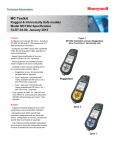
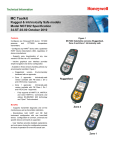
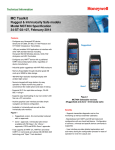
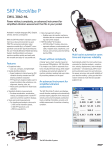
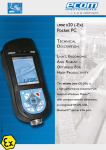
MC Toolkit Configurator Benefits (continued) Supports communication with HART devices when the operator is performing the following functions: Initial device configuration Starting a method Changing a configuration parameter Determining the actual “state” or process variable of a particular device Activating a device’s internal diagnostic functions. Avoid obsolescence issues when vendors publish new DD files Download new device descriptions from the HART website. Acquire the latest DD releases from the manufacture’s website including device descriptions not available from HART. Honeywell FDC2.0 Application comes with built in DD manager which allows easy addition and deletion of DDs. FDC2.0 also supports IEC 61804-3 EDDL Standards. Honeywell FDC2.0 Application has the facility to 2 Description The Honeywell MC Toolkit Configurator is a Pocket PCbased engineering and maintenance tool used to configure, monitor, diagnose and manage smart field instruments/devices. Designed specifically for ease-of-use and increased productivity, this multipurpose tool supports both HART and Honeywell’s Digitally Enhanced (DE) communication protocols. The MC Toolkit allows easy access to instrument configuration database parameters without the need for prior training, user manuals or previous experience. Each MC Toolkit comes loaded with all registered HART Device Description (DD) files and may be supplemented with non-published DD files at any time – so any HART new device can be configured as long as a DD can be downloaded. New DD files are easily downloaded and installed using ActiveSync software and the USB cable provided. The MC Toolkit Configurator is loaded with two software applications: 1. The MC Toolkit software configures Honeywell DE devices create custom views for easier and quicker 2. The FDC2.0 software configures non-Honeywell access to device information. HART devices Improved DD selection mechanism enables the following configuration options when the proper DD is missing Use Generic DD ;Use previous version of DD or Always prompt the user Incorporates data reasonability checks. Under given The combination of these two applications enables true “Universal” configuration of HART devices and Honeywell DE devices. The MCT202 is rated intrinsically safe for Zones 1& 2 for both FM C and ATEX. conditions, the MC Toolkit configurator will not accept configurations beyond device ranges reducing the likelihood of costly mistakes. FDC2.0 application in the MCT 101/202 toolkit release 4.0 allows the user to capture one snapshot of the connected device’s configuration history. This history can be imported in to the FDM database. Available with FDM Release 301.1.1 and later. Benefits: Comprehensive Device database of all the on line and offline devices with FDM. Ability to Schedule Device calibration. FDC2.0 Application allows the user to import the device configuration parameters from FDM (Field Device Manager) HFS Catalog_Without Tab_HighRes.pdf 1588 6/8/2011 12:42:12 PM