1
IP Link® Device Interface
Communication Sheet
nile_25_3699_1.pke
Revision: 8/27/2009
This document provides additional assistance with wiring your Extron IP Link enabled product to your device.
Different components may require a different wiring scheme than those listed below.
For complete operating instructions, refer to the user’s manual for the specific Extron IP Link enabled product or
the controlled device manufacturer supplied documentation.
Device Specifications:
Device Type:
Manufacturer:
Firmware Version:
Model(s):
Audio Processor
Niles
N/A
ZR-6
Version History:
Driver
Version
1
Date
08/20/2009
IP Link
Compiler
GC
Version
1.4.0
3.0.0
Notes
Initial version.
Driver Notes:
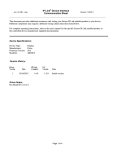
Status is based on the current zone selected. If you wish to view status of other zones, you must select one of the
values using the Zone Select command.
To use ‘Tuner Frequency’, simply select Tuner Band AM or FM, and press the numbers of the station frequency
you wish to select. (You only have to set the Tuner Band once).
EX: User wishes to select station 98.1 FM
1. Press the number ‘9’
2. Press the number ‘8’
3. Press the number ‘1’
4. Press ‘Enter’
EX: User wishes to select station 580 AM
1. Press the number ‘5’
2. Press the number ‘8’
3. Press the number ‘0’
4. Press ‘Enter’
Page 1 of 4
IP Link® Device Interface
Communication Sheet
nile_25_3699_1.pke
Revision: 8/27/2009
Control Commands & States:
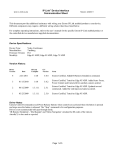
Audio Mute
On
Dial Keypad
0–9
Input
Tuner
Input 2
Input 3
Input 4
Input 5
Input 6
Up
Down
Left
Right
Select
Enter
Menu Navigation
Off
Power Control
Off/On
Transport
Play
Pause
Stop
Record
FFwd
Rew
Next
Previous
Shuffle
Group
Tuner Band
AM
FM
Tuner Frequency
1
2
3
4
5
6
7
8
9
0
Enter
Clear
Tuner Frequency (Step)
Up
Down
Tuner Preset
Next
Previous
Volume (Step)
Up
Down
Zone Select
1 – 18
Page 2 of 4
IP Link® Device Interface
Communication Sheet
nile_25_3699_1.pke
Revision: 8/27/2009
Status Available:
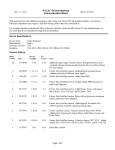
Audio Mute
On
Off
Connection Status
Connected
Disconnected
Input
Tuner
Input 2
Input 3
Input 4
Input 5
Input 6
Volume Level Status
Range(0 – 100, 1)
MLC62 Supported Commands*:
Audio Mute
On
Dial Keypad
0–9
Input
Tuner
Input 2
Input 3
Input 4
Input 5
Input 6
Up
Down
Left
Right
Select
Enter
Menu Navigation
Off
Power Control
Off/On
Transport
Play
Pause
Stop
Record
FFwd
Rew
Next
Previous
Shuffle
Group
Tuner Frequency (Step)
Up
Down
Tuner Preset
Next
Previous
Volume (Step)
Up
Down
*: Due to the complexity of this device, only Zone 1 is supported.
Page 3 of 4
nile_25_3699_1.pke
IP Link® Device Interface
Communication Sheet
Revision: 8/27/2009
Cable and Adapter Requirements:
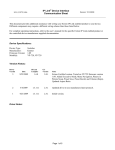
See wiring diagram below
Notes for the Device:
Serial communication:
Port Type: RS-232
Baud Rate: 9600
Data Bits: 8
Parity: None
Stop Bits: 1
Flow Control: None
Pin Assignments Diagram:
Note: Captive screw connector may also be used as a serial connection.
General Notes:
Page 4 of 4