1
BMC
CONFIGURATION GROUP
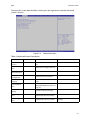
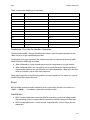
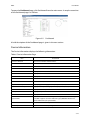
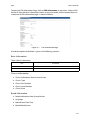
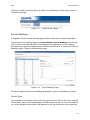
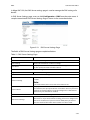
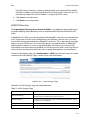
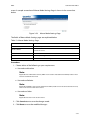
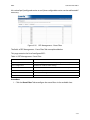
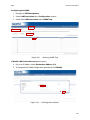
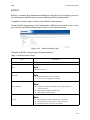
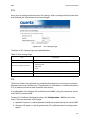
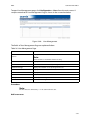
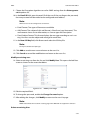
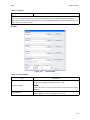
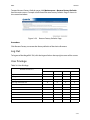
To open User Management page, click Configuration > Users from the main menu. A
sample screenshot of User Management Page is shown in the screenshot below.
Figure 3-40. User Management
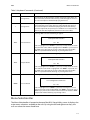
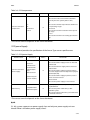
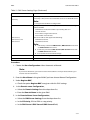
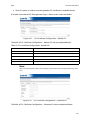
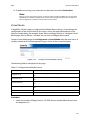
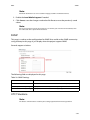
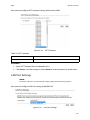
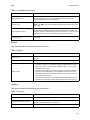
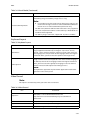
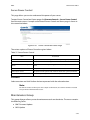
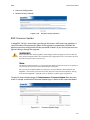
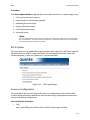
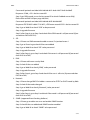
The fields of User Management Page are explained below.
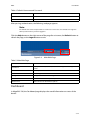
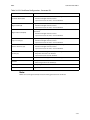
Table 26: User Management Page
ITEM
DESCRIPTION
Displays the ID number of the user.
User ID
Note:
The list contains a maximum of ten users only.
User Name
Displays the name of the user.
User Access
To enable or disable the access privilege of the user.
Network Privilege
Displays the network access privilege of the user.
SNMP Status
Displays if the SNMP status for the user is enabled or Disabled.
Email ID
Displays email address of the user.
Add User
To add a new user.
Modify User
To modify an existing user.
Delete User
To delete an existing user.
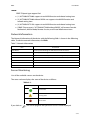
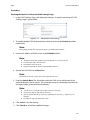
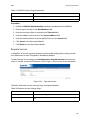
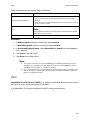
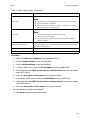
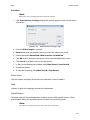
Procedure:
Note:
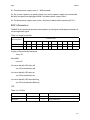
The Free slots are denoted by "~" in all columns for the slot.
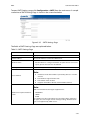
Add a new user:
3-56