1
Using the toolkit
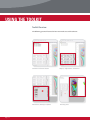
Deleting Your Records
You can easily delete a foot record or client record from the software.
To delete a foot record that has not been saved, then simply close that record. A Save
Foot window will pop up, and simply select No to close out that foot record and not
save it.
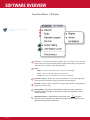
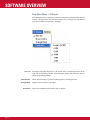
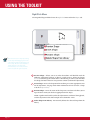
Delete Insole - Select this option if you want to delete a saved foot record. This will
delete one foot record at a time.
Delete Client - Selecting this will delete the entire Client Record and all of it’s
saved foot records.
Please note that once you delete a record, that action cannot be undone.
Page 48