1
For more information about how to use the phone, please go to
www.vodafone.com/vodafonechat to download complete user manual.
Moreover, from the website you can also consult FAQ, realize software
upgrade, etc.
1 Your mobile
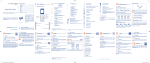
Loudspeaker
Volume key
Flash
Camera
micro-USB connector
1.1 Keys and connectors
Notification
light
Status bar
Earpiece
Home screen
• Flick to go left/right/up/down
• Press to confirm an option (press the middle of
the key)
• Pick up/Send a call
• Enter Call log
Widget bar
Left softkey
Send key
Silence key
Voicemail key
Headset
connector
Navigation key/
OK key
Right softkey
End key
Delete key
Sym key
Shift key
Enter key
Alt key
Microphone
Space key Facebook key
1
IP4347_VF655W_QG_Eng_GB_White_14_120827.indd Sec1:1-Sec1:2
• Press: End a call
Return to the Home screen
• Press and hold: Power on/off
• Press and hold: Access your voicemail
• Press once: Input a capital letter
• Press twice: Lock the keyboard in capital letter
input mode
• Press once: Input a top-half key character
• Press twice: Lock the keyboard in top-half key
input mode
Alt + B: Access Bluetooth
Alt + J: Access Apps
Alt + M: Access Music
Alt + P: Access Device sound profiles
2
2012-8-27 10:50:56