1
iTrack, LLC
– 21 –
December 30, 2013
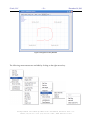
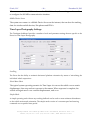
The location and orientation of the reference frame can be configured with the RO and RA
commands as described in the system user manual. These commands can also be issued from the
graphical user interface window. The RO command is issued by double-clicking on the RO location.
The RA command for orientating the reference frame is issued using the context menu command to
“Align Axes”.
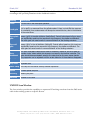
These functions described above are also available from the context menu (see above) that can be
brought up by clicking the right mouse key in the graphical operating space.
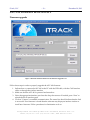
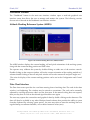
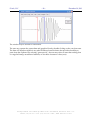
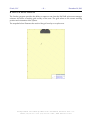
Figure 7 Tracking Overlay Window
Navigation Overlay Window
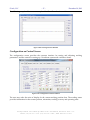
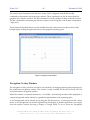
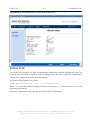
The navigation overlay window provides a user interface for managing beacons and trajectories for
the autonomous navigation systems. This window is only available for the AVC-410 and AVC-100
series autonomous navigation systems.
When the window is activated, the beacons – if available – and tracking location will be displayed. A
custom background can be selected as a graphical representation of the operating space.
A new background can be selected by pressing the (F6) function key, or selecting from the context
menu. A new background can also be captured from the display of another application, for example
from an explorer window showing a display of Google Earth. To do so, move the Navigation
HEADQUARTERS: 2200 NORTH SQUIRREL ROAD • ROCHESTER, MICHIGAN 48309 • USA
PHONE: (248) 648-4777 • FAX: (248) 648-4799 • HTTP://WWW.ITRACK-LLC.COM