1
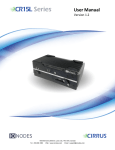
6 CIRRUS CR Series Appliance Features This chapter introduces you to the basic features of your CIRRUS CR Series appliance. Read this chapter to learn: About unpacking your appliance How to identify the features of your appliance How to locate your appliance’s model and serial number What accessories are available for your appliance 6.1 What is in the Box Note: Verify that the shipping box contains the following parts and ensure no damage was sustained during shipment. If there is anything missing or damaged, please contact your sales representative. You appliance should be packed with the following: 1. 2. 3. 4. 5. 6. 7. 8. CIRRUS CR Series appliance AC/DC power adapter (12VDC) Power supply cord (region specific) Wall mount brackets (2) Mounting screws for brackets (6) USB Utility Key 4 x rubber bumpons DisplayPort to DVI cable Below are additional items which are not included but may be required: 1. 2. 3. 4. USB mouse & keyboard Computer monitor (VGA or HDMI) Internet access and/or a network switch Power bar with surge protection