1
Android pairing
Unlike most Bluetooth accessories, your Flex must be paired directly through the
Fitbit App, and not through your Android device’s Bluetooth preferences.
1. Open the Fitbit App.
2. Account Setup:
a. Select Get started if you don’t already have a Fitbit.com account.
b. Select Log in to log into your existing Fitbit.com account.
NO TE: Are you an existing Fitbit App user?
Only one Fitbit tracker can be paired to an account.
If you’re replacing an existing tracker on your account press the
Menu button > Device Settings > Set up new device. When
prompted, tap Replace and skip to step 6.
3. Enter the email address and password for your Fitbit account and tap Sign Up.
4. Enter your personal details, then tap Save. This information personalizes your
Fitbit experience and improves the accuracy of your calorie burn and distance
data. This personal information is, by default, only visible to your friends, but
you can adjust your privacy settings on the Fitbit website to control what
information is shared with others.
5. Tap Set up Now.
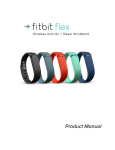
6. Choose Flex and follow the onscreen prompts.
7. Tap I’m Ready to begin searching for your Flex.
8. Once found, the lights on your Flex will begin to blink. Tap the window of your
Flex repeatedly with your finger until it vibrates. If you have trouble finding
your Flex, tap Try Again and follow the onscreen instructions for help.
9. Once the Fitbit App shows the message “You’re all set!” you can tap Go To
Dashboard to complete setup.
NO TE: If you experience trouble pairing your Flex, you can get support for this
and other questions at http://help.fitbit.com.
Android syncing
Your Flex can sync directly to supported Android devices via Bluetooth. To check if
your Android device is compatible with your Flex, see http://www.fitbit.com/devices.
Syncing will occur automatically when you open the Fitbit app, as long as Bluetooth
is enabled in both the Android device settings and the Fitbit app. To turn on
Bluetooth in the Fitbit app, tap the Menu button > Device Settings > check Use
Bluetooth.
Tap to sync using Near-Field Communication (NFC)
Your Flex is equipped with Near-Field Communication (NFC) technology, allowing it
to interact with Android devices that support this feature.
12