1
Keypads
14
Keypads
14.1
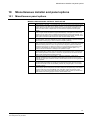
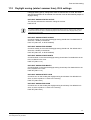
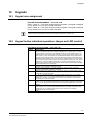
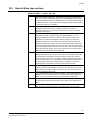
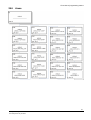
Keypad area assignment
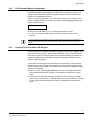
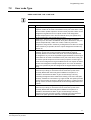
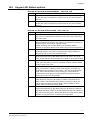
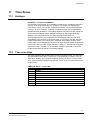
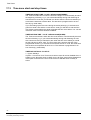
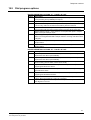
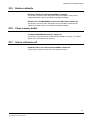
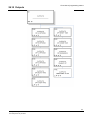
KEYPAD AREA ASSIGNMENT – P71E 1-8E 1-2E
Option 1 Area “A” – This option assigns Area A to keypads. If a keypad is assigned
to only Area A it can only Arm or Disarm that area.
Option 2 Area “B” – This option assigns Area B to keypads. If a keypad is assigned
to only Area B it can only Arm or Disarm that area.
NOTE: There are more options to choose but the System supports only 2 Areas (1-2)
14.2
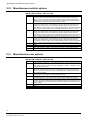
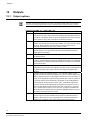
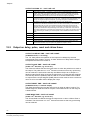
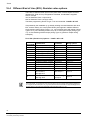
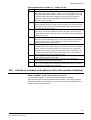
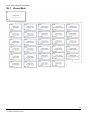
Keypad button individual operations, (beeps and LED control)
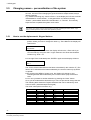
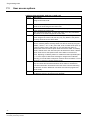
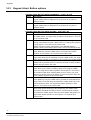
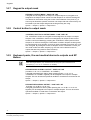
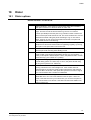
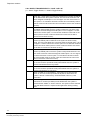
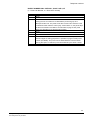
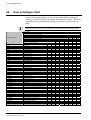
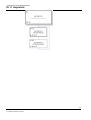
KEYPAD BUTTON OPTIONS – P72E 1-8E 1-8E
Option
Description
1
<CHIME> - This option enables the <CHIME> button on the LCD keypads. Chime
alarms to the keypad buzzer and outputs are disabled when “Chime” is off. If a zone is
programmed as a Chime Zone, it can beep the buzzer on a keypad and/or turn on an
output as well to give a local “CHIME” indication. A typical use of “Chime” Mode is as a
door minder in a shop. Sometimes it may be desirable to disable Chime mode without
the need to reprogram the panel. This can be achieved by allowing Chime Mode to be
disabled with the <CHIME> button. If you press the <CHIME> button on a LCD keypad
for 2 seconds (and this option is turned on for that keypad) the display will show “Chime
Mode OFF”. This means that the buzzer will now not sound at the keypad concerned
and any Chime Mode Outputs will not activate. Performing the process again will toggle
chime mode back to the on state again.
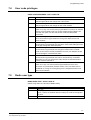
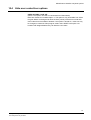
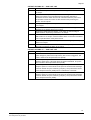
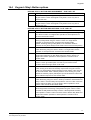
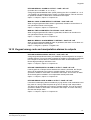
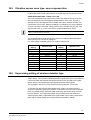
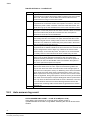
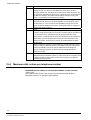
<BYPASS> button Enabled – This option enables the <BYPASS> button (by keypad
number) on any keypads connected to the pane
<PANIC> button Enabled – This option enables the <PANIC> button (by keypad
number) on the Keypad connected to the panel
Delayed Operation of <PANIC> button – This option assigns a 2 second delay before
the <PANIC> button will cause an alarm. The button must be held down for longer than
2 seconds to create a panic alarm.
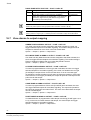
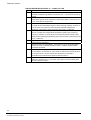
<1> & <3> Panic Alarm Enabled – This option enables a Panic Alarm to be created
when buttons <1> & <3> are pressed simultaneously on the reader or keypad. It also
enables the <CHIME> & <CONTROL> Panic Alarm when both buttons are pressing
simultaneously on the LCD keypad.
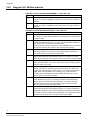
<4> & <6> Fire Alarm Enabled – This option enables a Fire Alarm to be created when
buttons <4> & <6> are pressed simultaneously on the reader or keypad. It also enables
the <A> & <B> Fire Alarm when both buttons are pressing simultaneously on the LCD
keypad.
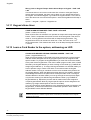
<7> & <9> Medical Alarm Enabled – This option enables a Medical Alarm to be created
when buttons <7> & <9> are pressed simultaneously on the reader or keypad. It also
enables the <B> & <CHIME> Medical Alarm when both buttons are pressing
simultaneously on the LCD keypad.
Spare -
2
3
4
5
/6
7
8
69
Building Technologies
Fire Safety & Security Products