1
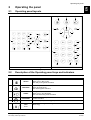
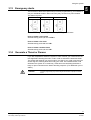
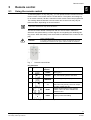
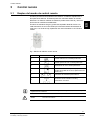
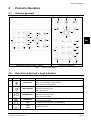
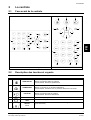
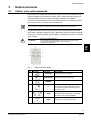
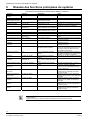
La centrale
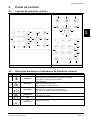
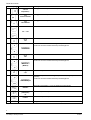
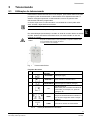
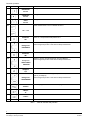
No.
7
Symbole
Touche/indicateur
Description
Défilement gauche dans menu
<GAUCHE>
flèche
8
Défilement droite dans menu
<DROITE>
flèche
9
Défilement bas dans menu
<BAS>
flèche
10
Touches numériques de 0 à 9, avec caractères de A à Z
….
11
<0>…-<9>
Touche A: Secteur A
Secteur
<A>
12
Touche A et B / Urgence en cas d’incendie
Presser les 2 touches simultanément pour un appel d’urgence.
Urgence
<INCENDIE>
13
Touche B: Secteur B
Secteur
<B>
14
Touche B et carillon / Urgence Médicale
Presser les 2 touches simultanément pour un appel d’urgence
Urgence <MEDICAL>
15
<CARILLON>
<♫>
16
Touche carillon
Touches Carillon et CTRL / Urgence pour Sécurité (Hold-up).
Presser les 2 touches simultanément pour un appel d’urgence
Urgence
<SECURITE>
17
Touche de programmation
<PROG>
18
<ENTRER>
◄┘
19
Touche ENTRER
Touche Contrôle
<CTRL>
Tab. 2
Touches et indicateurs de la centrale
8
Building Technologies
Fire Safety & Security Products
08.2007