1
Table of Contents
1. Installation and Configuration............................................................................................ 1
1.1. Power Supply.......................................................................................................... 1
1.2. Preparing for Configuration ..................................................................................... 1
1.2.1. Connecting the Managing Computer and the TYA-192 ................................. 1
1.2.2. Changing the TCP/IP Settings of the Managing Computer............................ 2
1.3. Configuring the TYA-192......................................................................................... 2
1.3.1. Entering the User Name and Password ........................................................ 2
1.3.2. SETUP WIZARD Step 1: Selecting an Operational Mode ............................. 4
1.3.3. SETUP WIZARD Step 2: Configuring TCP/IP Settings.................................. 4
1.3.4. SETUP WIZARD Step 3: DHCP Server Settings........................................... 6
1.3.5. SETUP WIZARD Step 4: Configure IEEE 802.11 Settings ............................ 7
1.3.6. SETUP WIZARD Step 5: Configuring the Billing Setting................................ 7
1.3.7. SETUP WIZARD Step 6: System Setting. ..................................................... 8
1.3.8. Configuring User Authentication Settings ...................................................... 8
1.4. Using Web-Based Network Management.............................................................. 11
1.4.1. Menu Structure ........................................................................................... 11
1.4.2. Save, Save & Restart, and Cancel Commands ........................................... 13
1.4.3. Home and Refresh Commands ................................................................... 14
1.5. Seeing Status........................................................................................................ 14
1.5.1. Associated Wireless Clients ........................................................................ 14
1.5.2. Authenticated Users.................................................................................... 14
1.5.3. Account Table ............................................................................................. 15
1.5.4. Amount Log................................................................................................. 16
1.5.5. Session List................................................................................................. 16
1.5.6. Managed LAN Devices ............................................................................... 17
1.5.7. Diagnosis Log ............................................................................................. 17
1.5.8. Diagnosis Status ......................................................................................... 17
1.6. System.................................................................................................................. 18
1.6.1. Specifying Operational Mode ...................................................................... 18
1.6.2. Password Settings ...................................................................................... 19
1.6.3. Firmware Tools ........................................................................................... 19
1.6.4. Setting Time Zone....................................................................................... 24
1.6.5. Location Information.................................................................................... 24
1.7. Configuring TCP/IP Related Settings .................................................................... 24
1.7.1. Address....................................................................................................... 24
1.7.2. DHCP Server .............................................................................................. 27
1.7.3. Zero Client Reconfiguration......................................................................... 28
1.7.4. PPTP Client ................................................................................................ 29
1.8. Configuring Wireless Settings ............................................................................... 29
1.8.1. Communication ........................................................................................... 29
1.8.2. Security....................................................................................................... 30
1.9. Configuring AAA (Authentication, Authorization, Accounting) Settings 31
1.9.1. Web Redirection ......................................................................................... 31
1.9.2. Authentication Session Control ................................................................... 35
1.9.3. Authentication Page Customization............................................................. 36
1.9.4. Billing .......................................................................................................... 38
1.10. Configuring Advanced Settings ........................................................................... 39
1.10.1. Filters and Firewall .................................................................................... 39
1.10.2. Management ............................................................................................. 41
1.10.3. LAN Device Management ......................................................................... 43
A-1: Default Settings .................................................................................................... 44
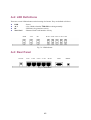
A-2: LED Definitions..................................................................................................... 45
A-3: Rear Panel ........................................................................................................... 45
B-1: TYA-192 Gateway ................................................................................................ 46
i