1
Phase 1 Final Report
Graphical User Interface for Simplified Neutron Transport Calculations
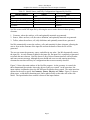
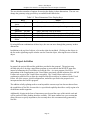
Table 2.1 Shield, Source, and Tally Configurations Supported by NucWiz
Shield Geometry
Source
Tally
None
Point
Point Detector
Slab
Rectangular Parallelepiped
Rectangular Parallelepiped
Rectangular Parallelepiped
Sphere
Sphere
Sphere
Cylinder
Cylinder
Cylinder
Surface
NucWiz creates an MCNP input file by allowing the user to make choices in three primary
elements:
1. Geometry, where the surfaces, cells, and optionally materials are generated.
2. Source, where surfaces, cell, the source definition, and optionally materials are generated.
3. Tallies, where the surfaces, cell, tally definition, and optionally materials are generated.
NucWiz automatically creates the surfaces, cells, and materials for these elements, allowing the
user to focus on the elements of the input file and not the details of how the file will be
generated.
The user can create the geometry, source, and tallies in any order. NucWiz dynamically creates
the input file. As each element is added to the input file, the input file is completely regenerated
to include this new element. NucWiz detects if any of these elements interfere with each other
and issues an error message, although the user should take care to avoid entering interfering
elements because there still may be configurations that are not accurately detected.
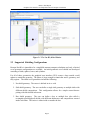
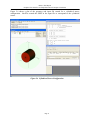
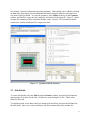
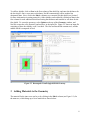
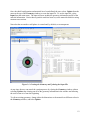
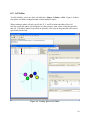
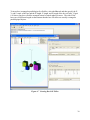
Figure 2.1 shows the main window of the NucWiz program. As the geometry is created, the
three-dimensional plot window shows the objects as they are created. At the same time, the
input window is updated to show the MCNP input file that has been created. The main menu has
options for the user to specify the Geometry, Source, Physics, and Tallies. Figure 2.1 shows a
point source, a slab shield containing steel, and a spherical tally on the other side of the slab
shield. The input that has been created is shown in the input window.
Page 5