Download User Manual

Transcript
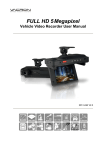
HD Vehicle Video Recorder
User Manual
2015 SEP V1.0
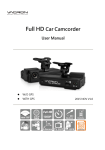
Vehicle Video Recorder
User Manual
Safety Precautions
Please Take and review some testing videos initially to make sure the images
were recorded correctly.
Please note that manufacturer, its subsidiaries and affiliates, or its distributors
are not liable for consequential damages arising from any malfunction of main
device accessory, including malfunction memory card that results in the
failure of recording video or recorded video ca not be read.
Before using the product, please ensure that you read the safety precautions
described below. Always ensure that the product is used correctly.
•
•
•
•
•
•
•
•
•
•
•
•
•
Please keep this device away from a children or an infant.
Use only recommended power sources.
Do not apply multi cigarette lighter adapters-Applying such devices will cause
unstable power input. As a result, the vehicle video recorder will shut down or
cannot record video due to lost power.
Please always make sure all power connectors are fully secured.
Do not attempt to disassemble, alter or apply heat to the product.
Avoid dropping or subjecting the product to severe impacts.
To avoid the risk of injury, do not touch the interior of the product if it has been
dropped or otherwise damaged.
Stop using the product immediately if it emits smoke, a strange smell, or
otherwise behaves abnormally.
Do not use organic solvents such as alcohol, benzene, or thinner to clean the
product.
Do not let the product come into contact with water (e.g. sea water) or other
liquid.
Do not allow liquids or foreign objects to enter the Vehicle Video Recorder.
Do not allow dirt or metal objects (such as pins or keys) to contact the terminals
or plug.
Avoid using, placing or storing the product in a humid or dusty area.
i
Vehicle Video Recorder
User Manual
Index
A. Feature Description ..................................................................... 1
B. Specification ................................................................................ 2
C. Accessories ................................................................................. 2
D. Installation Instruction .................................................................. 3
E. Product Dimensions ..................................................................... 5
F. SD Card ....................................................................................... 6
G. Recording / Stop Recording ......................................................... 8
H. Remote Controller ........................................................................ 9
I.
OSD Menu function ................................................................... 10
J. Playback Video Files ................................................................. 11
ii
Vehicle Video Recorder
User Manual
A. Feature Description
 H.264 compression technology real-time recorder
 120° Wide-angle CMOS Lens.
 Record video with sound inside and outside the car.
 Recorded Video store in Micro SD card.
 Loop recording / on start recording when memory card is
inserted and device is power on.
 Emergency Manual recording, file saves to separate area to
prevent overwritten.
 Built-in G-Sensor, auto recording accident footage.
 Made in Taiwan.
1
Vehicle Video Recorder
User Manual
B. Specification
Item
Description
Sensor
View Angle
Megapixel CMOS Sensor
120° Wide-angle
Record FPS
NTSC 30 fps / PAL 25 fps
V/A
DC5V±5% / 1A.
Start voltage 4.6V or above is required.
Operating tmp.
-10℃~ +60℃
Storage
8GB Class 10 micro SD Card or above
Recording
Recording
content
Storage format
Auto recording continuously after power on.
Stop recording after power off immediately.
Date/Time/Image/Sound/G-Sensor data
TS file is playable on most players, exclusive
player available on Vacron website.
Use remote control to playback
Audio Input
Time setting
G-Sensor
Built-in microphone
Built-in permanent calendar with adjustable
function through OSD.
Built-in 3D G-Sensor
C. Accessories
5V cigarette power adapter / Remote controller / USB card reader /
Suction cup bracket / Bracket holder / 4 pings, 3.5 inch headphone
jack to RCA output cable / Quick user manual
2
Vehicle Video Recorder
User Manual
D. Installation Instruction
1. To install the device on the windshield by” Sucker-type holder
“ or “Stick-Holder” Type
Sticker Adhesive Spot,
Sucker-type holder
Stick-Holder
2. Install the device on the
3. To adjust the recording angle
windshield in the best position
properly
5. Plug in the Cigarette Lighter
4. Plug in DC5V Power Supply
Adaptor
3
Vehicle Video Recorder
User Manual
6.
VVR installation instruction
Caution
(1). This device should be installed in the area where the Windshield
will be able to be cleaned by windshield wiper.
(2). Formatting SD card on the PC before beginning to use.
(3). Set time zone and timing on OSD. Star the device immediately
after you set time zone to make sure the video files will tally with
normal time.
(4). Setting NTSC or PAL through OSD.
4
Vehicle Video Recorder
User Manual
E. Product Dimensions
Lens
Force Record
Power Indicator
Cable collect slot
Remote Control Receiver
Recording Indicator
MICRO SD Card
DC5V Power input
Video Out
Battery for
permanent calendar
5
Vehicle Video Recorder
User Manual
F. SD Card
1.
“Format” Micro SD card
While applying a brand new Micro SD card, or use a Micro SD
card that was take out from other devices, a formatting
procedure is required.
Caution
(1). “Format” will clean all the data saved on Micro SD
card, Please back up the data before
proceed ”Format”.
(2). Before “Format ” Micro SD memory card, please
ensure that Micro SD memory card is unlocked.
(3). If the card is unlocked but still cannot be formatted,
this might be caused by Windows security restrictions.
Please run the program as Administrator to prevent
from this problem.
2.
SD Card Installation
Remark: Memory Card is optional
6
Vehicle Video Recorder
User Manual
Caution
(1). Recommend memory card class 10 or above 8GB Micro SD
Card.
(2). Since memory cards have the writing endurance situation, we
recommend to inspect the memory card and use pc for
playback regularly, to ensure that the memory card can read
and write
(3). Hot swap is not supported. Please power off device before
remove memory card. Removing Memory Card while recording
may lose or damage recorded data.
3.
Record Time Estimation
The chart below is for reference only. The length of time
recorded can be varied due to variation in image size may be
different.
Capacity
8G
16G
32G
120 Min
240 Min
480 Min
Video Quality
High
7
Vehicle Video Recorder
User Manual
G. Recording / Stop Recording
1. Power On/Recording
When car power on, the device start up automatically. Please
wait for 30 Sec. to start recording.
2. Power Off/Stop recording
When the car power off, the device will stop to record video and
sound. You can take off the memory card and insert to
computer to view the video.
3. Indication
Power
indicator
(1). Recording indicator: Red
light Blinking when
recording. (Emergency
recording blinking fast)
(2). Power indicator: Green
Recording indicator
light is ON when power
on.
Caution
(1). The display of booting screen and live view are subject
to change without notice for software upgrade or re-version.
(2). Force recording button has highest priority. Push Force
recording button will pop up recording window and activate
force recording immediately.
(3). CR1220 Battery for calendar can be replaced by users.
8
Vehicle Video Recorder
User Manual
H. Remote Controller
Emergency REC
Volume Down
Volume Up
Audio
Mute
Menu
Navigator
Enter
Play
Stop
Pause
How to check if the remote
controller is workable?
√
Check the mercury cell is installed in
correct direction. (Check the pole)
√
Check if the cell power is exhaust.
√
Check if the sensor is covered.
√
Check if it nears by Fluorescent
Lamp.
9
Vehicle Video Recorder
User Manual
I.
OSD Menu function
In Live view screen press [Menu] will popup OSD operation menu
as follows:
NTSC / PAL
Time Setting
G-Sensor
Microphone
Firmware Version
1. Video Type :Click
2. Time setting: Click
3. G-Sensor: Click
to choose NTSC /PAL.
to adjust clock.
to set the sensitivity of G-sensor. The higher
the sensitivity on behalf of gravity (G) the more sensitive the
sensor, the more likely trigger mandatory photography; When
emergency record is triggered, it will keep emergency recording
and keep the files without being event video overwritten.
4. Microphone: Click
to setup microphone on / off.
5. Firmware Version:
show firmware version.
10
Vehicle Video Recorder
User Manual
J. Playback Video Files
Playback the video files on PC via the storage card from the vehicle
recorder.
The *.ts video files are compatible with software like KM, Storm Media
Player and Windows Media Player. Please download decoder if playback
failed.
*Please backup important files just in case of overwritten.
11
For More Information
Please check VACRON Website
http://www.vacron.com
Made in Taiwan