Download DIGITAL PRESSURE CONTROLLER
Transcript
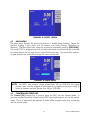
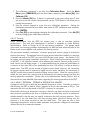
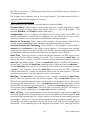
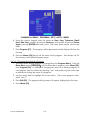
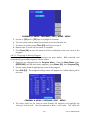
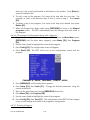
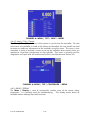
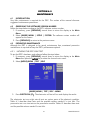
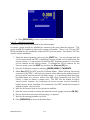
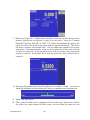
4.6.1.5.1 Date/Time The DPC’s system clock is continuously updated. If the date or time requires editing, the following applies; 1. The date and time are set from the Setup | System | Menu. From the Main Menu (press [PREVIOUS] until the Main Menu appears), press Menu [F6], then Setup [F2], and then System [F5]. 2. To set the system date, turn the rotary knob until Date is highlighted. Use the numeric keypad to enter the current four-digit year, month, and day (yyyymmdd). All digits must be entered. Press [ENTER] to accept. 3. To set the system time, turn the rotary knob until Time is highlighted. Use the numeric keypad to enter the current hour, minute, and second (hhmmss). All digits must be entered. Press [ENTER] to accept. 4.6.1.5.2 Reset The Reset [F1] command is used to re-boot the DPC. 1. To reset the system, from the Main Menu (press [PREVIOUS] until the Main Menu appears), press Menu [F6], then Setup [F2], then System [F5], and then Reset [F1]. 4.6.2 MENU | CALIBRATE The Menu | Calibrate command is used to perform the calibrations on all of the sensors utilized by the DPC. The 7252 can be completely calibrated using the front panel interface. It does not require any external computer or software in order to perform a successful calibration. It also has the capability of being calibrated remotely through either the RS232 or IEEE-488 interface. The 7252 will guide the operator through a menu driven calibration procedure identifying the pressures that should be supplied by a standard. Following the calibration procedure, the 7252 calculates and saves its own coefficients. The calibration coefficients are date stamped so the user can easily identify the last time the instrument went through a full calibration, when the coefficients were last edited or when the DPC was re-zeroed. The calibration section in the DPC can be password protected to prevent any unauthorized entry into the calibration section of the system. Please refer to the Maintenance Section (Section 6.0) of the manual for more detailed information regarding the calibration of the DPC. The calibration menu is identical in both channels. Press the Sensor function key to select the correct sensor from either channel. 4.6.2.1 Calibration Password The calibration password allows the user to protect access to DPC calibration constants and the calibration procedure. If the calibration password is set to any number other than zero, it is required before the user is allowed to calibrate the DPC or manually change the calibration constants. IMPORTANT: It is recommended that the access password be recorded and filed in a secure location. 4-17 LOCAL OPERATION