1
MODx Content Management System : Chunks
MODx Content Management System 1.0.3 - QuickStart Guide
Search here...
Chunks
Go!
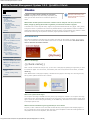
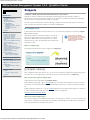
A chunk is a small, simple container for text-based
Read Me First
User's Guide
content. Paragraphs of text, html markup, stylesheets, and
other types of static content can be created and placed in a
Static content refers to basic text
that may be sent directly to the
browser. Chunks will not process
server-side code.
The MODx administrative
interface
About Resources
The Resource Browser
The File Manager
Uploading images
Navigating, creating, deleting
directories
File and directory best
practices
chunk.
Glossary
certain pages within the site. Since the disclaimer text will not change, it can be written once, placed in a chunk,
and then the chunk's tag can be placed on whichever pages require the disclaimer to appear.
How Do I
Create a new web page
Create a new container
Create a new web link
Un-publish a resource
Automatically publish on a future
date
Preview an unpublished resource
Delete a resource
Hide a resource from menu
listing
Insert an image
Link to a PDF or Word doc
Search for resources or contents
Customize the page link text in
navigation bars
Change the Resource URL
Move a resource ...
into a different container
above or below a resource
What makes chunks special is that their contents can be 'dumped' onto any resource in
MODx, simply by placing the chunk's tag where you want the contents to appear.
To illustrate how a chunk might be useful, imagine a large fitness website that has many pages: video, photos,
a blog and so forth. To protect the site owner from potential lawsuits, a legal disclaimer needs to be visible on
How chunks work
All chunks are assigned a name when they are created. The name can be anything you prefer, but it must be
unique. You cannot have two chunks with the same name. The reason for this is because the chunk name is
used to reference the chunk's contents.
Frequently Asked Questions
Troubleshooting
My page is displaying old content
My page is not appearing on the
site
Editing pages
Can't add content at bottom
of page.
Advanced Topics
Chunks
Viewing, creating, editing
Snippets
What is a chunk tag?
{{chunk-name}}
When a chunk is created and ready for use, you can use it in web pages by specifying its tag whever you want
its contents to appear. The chunk name, surrounded by twin sets of curly braces as shown above, is a MODx
chunk tag.
When MODx fetches a web page for display, it will first scan the page for chunk tags. If a chunk tag is found,
the tag will be replaced with the chunk's contents.
Where can I place chunk tags?
You can place chunk tags in all MODx resources; that is, any web page or container. You can place chunk tags
within other chunks. Advanced MODx components such as snippets, plugins and modules will also accept chunk
tags. A chunk can even be called programatically (via the MODx API), which makes it even more versatile from
a developer's point of view.
What would be considered a good opportunity to use a chunk?
Any time you have a block of text or other static content that may need to appear across multiple pages in a
site, you should use a chunk. Chunks are also commonly used as templates to define the visual appearance of
many MODx add-ons such as Wayfinder, Ditto and Search.
http://www.studioefx.com/modx-user-guide/advanced-topics/chunks[6/25/2010 7:10:44 PM]