1
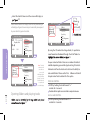
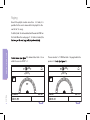
Repeating a CD
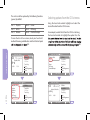
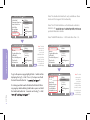
19) select
the option “Repeat CD”. The current playing folder will now be
set on repeat.
Note: Scan controls may vary depending on head unit and
vehicle controls. Some head units may have a dedicated
scan button for this functionality.
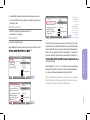
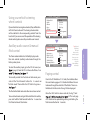
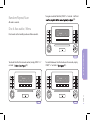
Playing tracks in normal order
Note: Repeat CD controls may vary depending on head unit
and vehicle controls. Some head units may not support this
functionality.
19) select
the option “Normal”. This selection will cancel any previous
selections which have been made from this menu.
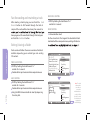
Random mode
Track sequence menu may differ depending on head unit type.
Selecting normal mode and unselecting Random/Repeat/
Scan may be achieved by unselecting the current settings.
OPERATING THE IPOD
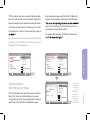
19) select
the option “Random”. This will randomize the current folder.
Note: Random controls may vary depending on head unit
and vehicle controls. Some head units may have a dedicated
random button for this functionality.
Please note: It takes a number of seconds to update the
vehicle head unit screen with the correct track sequence
when exiting and entering random mode. Allow 10 seconds
for the screen to update with the correct track sequence.
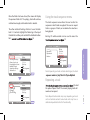
Scan
PAGE 14
19) select
10 seconds of each
track in the folder from the current playing track.
Note: Random/Scan/Repeat controls may vary depending
on head unit and vehicle controls. Some head units may
have dedicated buttons for these functions.
Please note: It takes a number of seconds to update the
vehicle head unit screen with the correct track sequence
when exiting and entering random mode. Allow 10 seconds
for the screen to update with the correct track sequence.