1
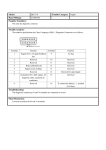
User’s Manual
TOOL’S LOGO
SW : software
SN : tool serial number
Press [YES]->
Statement of this product.
HW : hardware
Press [YES] enter function menu->
KEYBOARD REFERENCE:
[YES] - Enter the menu;
[NO] - Go back;
[▲] - Select cursor up;
[▼] - Select cursor down;
[◄] - Select cursor left;
[►] - Select cursor right;
1. ENTER VEHICLE SELECTION MENU
It list by the vehicle name,and you can update the functions.
2. ENTER TOOL SETTING MENU
COUNTERST ADJUST : ADJUST THE LCD CONTRAST;
VERSION : VIEW THE TOOL’S SW HW AND SN INFO;
3. ENTER FUNCTION UPDATE FUNCTION
EXAMPLE
VEHICLE SELECTION -> CHERY :
SPECIAL FUNCTIONS
Select SPECIAL FUNCTIONS->
Press [YES] continue->
Choose OBDII socket, and switch ignition on,Press [YES] continue->
If communication failed, tool will show->
Press [NO] go back;
Else communication OK,tool will enter the function of next step->
Because of CHERY PIN CODE no is the only one,Please recode the PIN
CODE and try it.
Press [NO] go back;
IMMOBILISER1
Press [YES]->
Press [YES]->
Choose OBDII socket, and switch ignition on,Press [YES] continue
If communication failed, tool will show
Press [NO] go back
Else communication OK,tool will enter the function of next step
Press [YES] input PINCODE, press [NO],no the program functions.
If press [NO].
If press [YES]
Use the [UP] [DOWN] change number
[LEFT] [RIGHT] move the cursor
Input the PIN CODE,press [YES]
If PIN CODE ERROR!
Press [NO], the program function is invalid.
PIN CODE IS CORRECT,the program function is valid.
Press [YES] enter program function
If you want to delete key
Press [YES]
[YES] DELETE ALL KEY
[NO] SELECT KEY ADDRESS DELETE
If press[NO]
Input the the address,and press [YES]
Press [YES]
Delete key finish.
IF YOU WANT TO MATCH KEY
Select MATCH KEY function, press [YES]
MATCH FAIL
MATCH OK
REMOTE
Press [YES]
Press [YES]
Choose OBDII socket ,don’t switch the ignition on,Press [YES]
Press [YES]
Do flow the user info.and press [NO],Match ok!
THE OTHER CARS PROGRAM THE SAME AS BY THIS WAY .