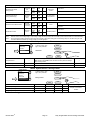
1
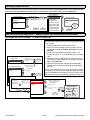
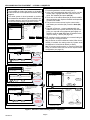
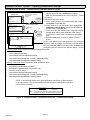
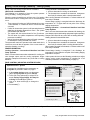
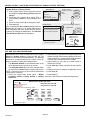
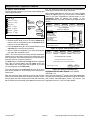
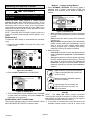
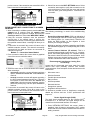
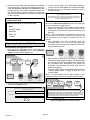
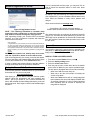
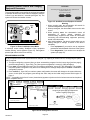
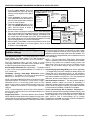
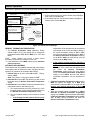
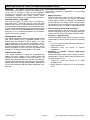
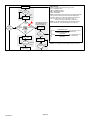
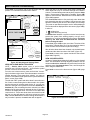
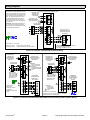
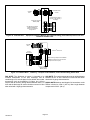
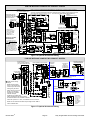
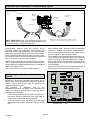
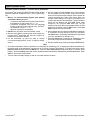
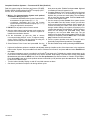
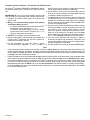
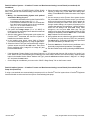
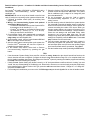
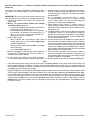
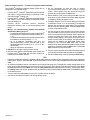
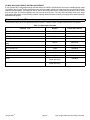
NON-COMMUNICATING EQUIPMENT — ADDING HUMIDITROL® OR AUXILIARY DEHUMIDIFIER Before adding a dehumidifier, be sure that: the dehumidifier is wired to the furnace or air handler control as shown on the optional accessories wiring diagram. the entire system is wired, powered up, and the ther mostat has detected the system's installed communi cating devices, and you are at the Add or Remove Non-communicating equipment? screen. Add or Remove Non-communicating equipment? system devices System 1 yes Furnace to add/remove/adjust a device, select it, then press edit non-communicating device list Humidifier Dehumidifier Electronic Air Cleaner current value: If 'no', press Next Step 2a Not Installed Select one Not Installed 3a 2b edit Dehumidifier back next Humiditrol Auxiliary Dehumidifier save 3b cancel Outdoor Unit Dehumidifier system devices to add/remove/adjust a device, select it, then press edit non-communicating device list Outdoor Unit Capacity Humidifier To add (or remove) a dehumidifier, you must be at the Add or Remove Non-communicating equipment? screen. 1. Press the yes button on this screen (see 1). 2. In the non-communicating device list screen, use the arrows (2a) to highlight Dehumidifier and press edit (2b). Note the current value (e.g. Not Installed). 3. Touch one of the radio buttons (3a) to select the type of dehumidifier (or select Not Installed, if removing dehumidifier); press save (3b). 4. When you scroll to the Dehumidifier device (4a), (Note the current value, e.g. Humiditrol.) Click back (4b) to return to the Add or Remove... screen (1). 5. The Add or Remove.. screen reappears with your addition shown in the system devices list (5a). At this point, you may add more equipment (press yes) or if finished, press the next button (5b) to advance to the Adjust a setting... screen ). NOTE - Adding humidity regulating non-communicating devices may be a 2-step procedure: 1st, the device must be installed and wired. After the dehumidifier is installed, the setting under the System mode Dehumidification Control Mode defaults to Basic). 2nd, set Humiditrol ® comfort adjust overcooling and the min/max dehumidification setpoints if desired (see page 18). current value: 4a System Add or Remove Noncommunicating equipment? yes Heat Pump Furnace Thermostat Humiditrol Humiditrol 5a edit 5b back 4b back next Figure 8. Add Non-Communicating Device — Dehumidifier iComfort Wi-Fi® Page 7 7-Day Programmable Communicating Thermostat