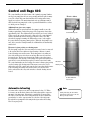
1
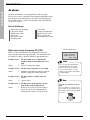
Extra functions (Customer level 2)
(Initial menu)
Rego 603
In the section Basic functions (Customer level 1) we presented the functions
that you will probably use the most and which you will receive the most
benefit from. However, there are numerous extra functions that you can use
to control your heat pump. This can, for example, include activating the heat
pump’s holiday function or setting the time and date. If no settings are made
on Customer level 2, the heat pump will automatically return to Customer
level 1 after 30 minutes. This is what to do to access Extra functions
(Customer level 2):
FOR THE USER
Extra functions (Customer level 2)
K2
040216 16:08:15 Tu
Heat
Info
Menu
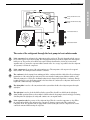
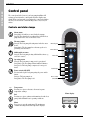
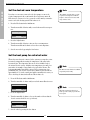
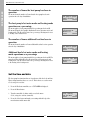
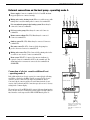
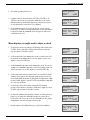
Press the Heat button until Access =
CUSTOMER2 is displayed.
1.
Press the Heat button until Access = CUSTOMER2 is displayed.
2.
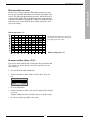
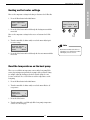
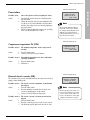
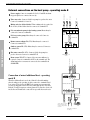
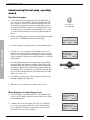
Press the Menu button to open the Main menu. You also have access to
all the basic functions on Customer level 1 from Customer level 2.
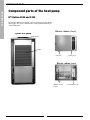
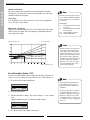
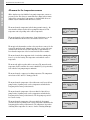
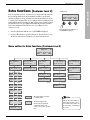
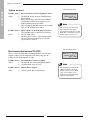
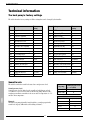
Menu outline for Extra functions (Customer level 2)
Rego 603
K2
040216 16:08:15 Tu
Heat
Info
Menu
Main menu
Indoor temperature
settings
1
Main menu
Adjusting the hot
water settings
Page 22
Heat curve
adjustm. (break) 1.3
Page 22
4
Main menu
Op. time readings on
HP and add. heat
7
Page 24
Page 24
Page 25
Page 26
2.2
Clock setting HP
accord. to clock 4.1
Heat pump in operat.
number of hours? 7.1
Main menu
Alarm logging of all
alarms
11
Interval for
hot water peak
2
Main menu
Timer control
settings
Page 24
Mix. valve incr/decr
range 0-10
1.5
Page 24
Setting level
heat pump +/-
4.1.1
Page 26
Distribution HP
DHW - Rad in %
Main menu
Clock, setting time
and date
10
Page 27
7.2
Page 23
Page 25
Page 26
Mix. valve Þne-tune
range -10/+10
1.6
Clock setting DHW
accord. to clock 4.3
Add. heat in operat.
number of hours? 7.3
Page 23
Page 25
Main menu
Return to
factory settings
12
Page 27
Page 26
Mix. valve curve
adjustm. (break) 1.7
Distribut. add. heat
DHW-Rad in %
7.4
Page 23
Page 26
Setting of room
sensor inß.
1.11
Page 22
Setting of holiday
function
1.12
=
Page 22
Remote control
heat
1.13
Page 22
Setting of summer
disconnection
1.14
=
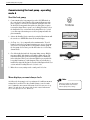
The menu display is standard
on all heat pumps.
The menu display is only
shown on the heat pump in
combination with an extra
sensor or in a specific operating
mode.
Page 22
21
Note
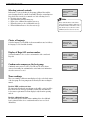
Only the most frequently used
menus in Customer level 2 are
shown in the menu outline. Use
the menu dial to scroll through
the menus.