1
Introduction
1
1.1
2
Introduction
Welcome
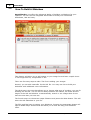
Welcome to SnapVideoPro , the truely easy to use screen capture software that
brings your snapshots to life!
SnapVideoPro has been designed to be as easy to use as possible. With
SnapVideoPro , taking snapshots of your desktop or any portion of it is now, indeed,
a snap! While keeping simplicity in mind, we also tried to make SnapVideoPro as
easy to use in building professional presentations for your documents as possible!
Therefore, now SnapVideoPro has the ability to apply photo retouching effects to
your snapshot, to add text to it, to draw on it and much more! Not to mention that
you can now save snapshots one by one by using the built-in auto-snapshot feature,
and save your snapshots in several graphics formats, including JPG! You can now
resize your snapshots using up to 7 built-in professional resizing filters!
Further more, SnapVideoPro includes a fully multi-document interface (MDI), that
allows you to quickly switch between your snapshots and edit them as you like! And
using the built-in XP-look alike, your visual experience will now become more
pleasant and easy to work with!
Features include:
Ability to capture any portion of the screen
Work with multiple images at once
Apply professional photo retouching effects to your snapshots
Adding images and text to your snapshots
Resizing snapshots using up to 7 advanced filters
Configurable, system-wide hotkeys for most common actions
Save snapshots to multiple image formats
Capture a mouse-defined region of the desktop
Capture desktop objects like menus, windows, listboxes, editfields, etc.
Directly print snapshots
Easily create slideshows by using the autocapture feature
Autohide the program on capture
Beep whenever capture starts and whenever finishes
Undo last operation support
Windows XP look-alike, even on non-XP systems
Complete help manual
Would you like to see a few reasons why you should choose SnapVideoPro ?
Click here
© 2003-2005 DC Software Group