1
Chapter 4 >> Initial Settings and Operations
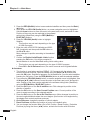
Selecting the OSD teletext, VBI teletext, Subtitle and DVB subtitle
You can choose the OSD teletext, VBI teletext, subtitle and DVB subtitle for the current live
TV program if provided from the broadcasting station.
• OSD teletext: Press the Text ( ) button
• VBI teletext: Press the Text ( ) button twice.
• Subtitle: Press the Text ( ) button three times.
• DVB subtitle: Press the Text ( ) button four times.
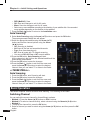
MoSAic
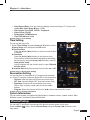
You can see multi picture by pressing the RED (MoSAic) button.
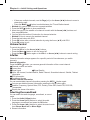
Sleep Timer Function
Press the GREEN (Sleep) button, you will see the time set for the sleep timer if already set from
the Time Setting menu.
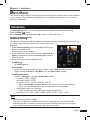
Zoom Function
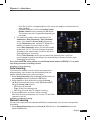
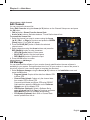
You can make the picture appear larger on the screen
pressing the Zoom ( ) button.
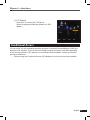
1 Press the Zoom ( ) button.
2 Select the area you want to zoom using the Arrow buttons
and then press the OK button.
Picture is enlarged two times.
3 Each time you press the Page (+/-) buttons, the picture is
enlarged two or four times.
Press the Arrow (▲/▼/◄/►) buttons to change the
location at the lower right of display.
4 To cancel the Zoom function, press the Zoom ( ) button
twice or Back ( ) button.
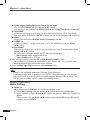
Channel List
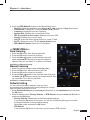
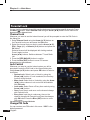
You can see the TV or Radio channel list pressing the OK button while watching TV or listening
) button. The icon (€) behind
to the Radio. Switch the channel list pressing the Mode (
the channel name symbolizes scrambled channel, and the ( ) icon behind the channel name
symbolizes indicates a locked channel.
Select channel using the Arrow (▲/▼/◄/►), PR+/-, or Page
(+/-) buttons and press the OK button to watch.
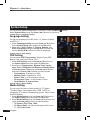
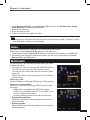
The colored buttons show the channel lists as follows:
• RED (MoSAic) button: by alphabetical order
(alphabetical A-Z)
• GREEN (Sleep) button: by satellites
(all/searched satellites)
• YELLOW (Audio) button: by names of broadcasting
providers
• Blue (SAT) button: by HD channels
12 English